Used Math Suga for Windows?


Editors’ Review

Download.com staff
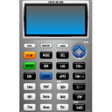
This application excels at evaluating mathematical equations and generating graphs. It also offers robust tools for drawing 2D objects and designing electrical circuits.
Enlarged image for Math Suga
Math Suga 0/1
  • Pros

    • Evaluates mathematical equations accurately.
    • Generates graphs from equations.
    • Draws 2D objects like lines and circles.
    • Supports saving drawn objects as components.
    • Generates PCB and Spice Netlists.
  • Cons

    • Limited to two-dimensional drawings.
    • Circuit drawing relies on pre-drawn objects.
    • Specific compatibility with FreePCB.

Used Math Suga for Windows?


Explore More


Full Specifications

GENERAL
Release
Latest update
Version
17.3.0005
OPERATING SYSTEMS
Platform
Windows
Operating System
  • Windows NT
  • Windows 98
  • Windows 7
  • Windows 8
  • Windows XP
  • Windows ME
  • Windows 10
  • Windows 2003
  • Windows Vista
  • Windows Server
  • Windows 2000
Additional Requirements
Java Runtime environment 7.0
POPULARITY
Total Downloads
13,966
Downloads Last Week
1

Report Software

Program available in other languages


Last Updated


User Reviews

4.5/5

2 User Votes


Developer’s Description

Evaluate mathematical equations, generate graphs from equations.

Evaluation of mathematical equations. Generation of graphs from equations. Drawing of two dimensional objects such as lines, circles, rectangles. Writing text, saving previously drawn objects to components, drawing electrical circuits using pre-drawn objects as components. Generate FreePCB compatible PCB Netlist. Generate Spice Netlist and generate Bill of Materials.


Download.com
Your review for Math Suga