Used MaterializedHome for KLWP for Android?
MaterializedHome for KLWP Analysis
AI Assisted Content ·
Not written by CNET Staff.
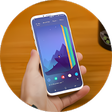
MaterializedHome for KLWP is a comprehensive personalization tool designed for Android devices, focusing on enhancing the home screen experience. This application allows users to create and customize dynamic wallpapers using the Kustom Live Wallpaper Maker (KLWP). With a range of built-in themes and templates, users can modify elements such as icons, widgets, and animations, providing a highly personalized interface that reflects their style. The application is compatible with Android versions 4.3 and above, ensuring accessibility for a wide range of devices.
Top Recommended Alternative
In addition to its extensive customization options, MaterializedHome for KLWP is designed to be user-friendly, catering to both novice and experienced users. The application supports various languages, although the current version is available only in English. With regular updates, users can expect ongoing improvements and new features that enhance functionality and user experience. MaterializedHome for KLWP stands out as a versatile choice for those looking to transform their Android home screen into a unique and interactive space.
Used MaterializedHome for KLWP for Android?
Explore More

Aquarium Fish Live Wallpaper
Free
City Live Wallpaper
Free
Kpop Demon Hunters HUNTRIX HD
Free
Pink and Black Theme (chomp)
Free
ThemeOn: App icons Widgets
Free
Black Panther 3D Theme
Free
RetroHalf Purple LCD
Paid
3D Valentine Hearts WatchFace
Free
Transparent Homescreen Effects
Free
Dolphin Live Wallpaper PRO HD
Free
Live Wallpapers 26
Free
Firefly Live Wallpaper
Free