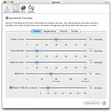
MacBreakZ is a sophisticated Personal Ergonomic Assistant designed for promoting healthy computing. MacBreakZ features sophisticated keyboard and mouse monitoring(without invading your privacy) that allows it to react to the way you are using your computer. What's more MacBreakZ provides you with instant feedback on how you are doing and thus lets you find out more about your work practices. Based on your actual keyboard and mouse use and the time you have spent in front of the screen, MacBreakZ suggests rest and microbreaks at appropriate intervals. MacBreakZ includes a set of 30 fully illustrated stretching exercises that are designed to reduce muscular tension, improve posture and strengthen appropriate muscle groups. It also features dozens of great ergonomic tips. MacBreakZ adapts to how and where you work. A sophisticated setup assistant makes sure that you start off with a configuration that suits you and your workplace. An extensive array of preferences allow you to customize everything from how activity is measured to the way information is presented on the screen.
Keeps you mindful of your time and intensity looking at a screen, and gives you lots of control on how you're reminded to rest, and work in a healthy way.
Cons
nothing i can think of
Summary
this app is worth 10x the price
Getting great
alexius
Pros
Cons
Summary
This review was originally posted on VersionTracker.com.<br />Macbreakz 4 seems to be a total rewrite and has become an excellent app. Though a bit more refinement is needed in its preferences and menus, it does what it should smoothly and unobtrusively. It's great!
Getting great
alexius
Pros
Cons
Summary
This review was originally posted on VersionTracker.com.<br />Macbreakz 4 seems to be a total rewrite and has become an excellent app. Though a bit more refinement is needed in its preferences and menus, it does what it should smoothly and unobtrusively. It's great!
Great product!
openup4me
Pros
Cons
Summary
This review was originally posted on VersionTracker.com.<br />I've been using this every day for around three weeks now, and it's been a pleasent surprise. Often speciality software can be rough and unfriendly, but MacBreakZ looks polished and "Mac-like" and is easy to use. It's unobtrusive, except when it's not meant to be, and pleasent even when it is obtrusive. I'd highly recommend this software to anyone.
not that great
badolina
Pros
Cons
Summary
This review was originally posted on VersionTracker.com.<br />buttons slow to respond, seems too heavy, do not update the software, not enough options, no animation.
It does what it supposed to do, but it does it with no charm.
Like listening to Windows Media Player.
Way too expansive.
RBanzai
Pros
Cons
Summary
This review was originally posted on VersionTracker.com.<br />Been using this for a few years now. The developer is very responsive and the software has helped me completely eliminate eyestrain headaches. To the
MikeWelsh--2008
Pros
Cons
Summary
This review was originally posted on VersionTracker.com.<br />My first thought after reading the description was, "My God - $24.95 for a break reminder?" After I tried it for about a week, I
StephenZcat
Pros
Cons
Summary
This review was originally posted on VersionTracker.com.<br />Pretty decent App... except for two things: 1. Why isn't the developer using the Mac OS X application preference menu? Instead they have their own
WeebMac[.net]
Pros
Cons
Summary
This review was originally posted on VersionTracker.com.<br />This is a pretty useful app. The reminder features and structuring -- wait, $25? <drags it to the trash>
fredfass
Pros
Cons
Summary
This review was originally posted on VersionTracker.com.<br />To the adults reading this post: I use this program constantly and it works very well. It's proven that constant computer use without breaks puts