Used Lock screen(live wallpaper) for Android?


Lock screen(live wallpaper) Analysis

AI Assisted Content ·

Not written by CNET Staff.

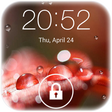
Lock Screen (Live Wallpaper) is a free Android application designed for users who wish to personalize their devices. This utility offers an intuitive interface, making it easy to navigate through its features. The app primarily consists of two sections: settings and themes, allowing users to modify the appearance of their lock screens effortlessly. Users can easily access various customization options from the settings menu, enhancing their device's aesthetic appeal.

The application supports three distinct themes: Galaxy Raindrop, Snow, and Galaxy Stars. Each theme provides a unique visual experience, and users can switch between them seamlessly through the settings section. This functionality caters to diverse tastes, enabling users to enjoy a fresh look for their lock screens. Overall, Lock Screen (Live Wallpaper) serves as a valuable tool for those interested in customizing their Android devices.

Enlarged image for Lock screen(live wallpape…
Lock screen(live wallpaper) 0/4

Used Lock screen(live wallpaper) for Android?


Explore More


Full Specifications

GENERAL
Release
Latest update
Version
8.38
OPERATING SYSTEMS
Platform
Android
Operating System
Android 9.0
POPULARITY
Total Downloads
188
Downloads Last Week
0

Report Software

Program available in other languages


Last Updated


Developer’s Description

By App Free Studio
A beautiful lock screen with some live wallpaper theme for android devices.

A beautiful Lock Screen with live wallpaper theme for Android devices.

The best feature and what makes this app different from others is the 'Screen Lock Style',

you can switch three different live wallpaper themes from settings,including Galaxy raindrop live wallpaper,

Snow live wallpaper and Galaxy star live wallpaper theme.

Features:

1. Simulate the galaxy raindrop falling animation,snowing effect and flashing stars in the sky.

2. Support unlock sound settings,you have ten nice ringtones to choose.

3. Support set pin password via keypad lock screen for lock security.

4. Support customize unlock text,device name and operator name.

5. Support customize wallpaper.

6. Support slide to unlock including both 'slide up to unlock','slide down to unlock','slide left to unlock'

and 'slide right to unlock'.

7. Support display notifications such as unread messages ,unread mail,missed call and so on in lock screen.

8. Support display widget in lock screen(Recommend music widget).

9. Support Pattern lock for lock security.

10. Support change clock/date text color,text size and text fonts.

11. Support swipe to remove notification.

12. Support change themes for setting background.

13. Blur wallpaper with unread notifications.

14. Support random keypad or password to enhance the security for your phone

15. Support unlock animation.

16. Support music control

How to use?

1.open this app's settings,then this Lock Screen will start to work.

2.You can preview the lock screen by clicking the 'preview' option when you change any settings.

3.You can switch live wallpaper theme by clicking the 'Screen Lock Style' and select the corresponding live wallpaper option.

(note: three live wallpaper themes including 'Galaxy raindrop live wallpaper','Snow live wallpaper' and 'Galaxy stars live wallpaper' theme)

4.You can change the unlock ways by clicking the 'Slide to unlock style' option and select the corresponding option.

FAQ

Q:How to uninstall?

A:Settings-->Security-->Device administrators,Deactivate the application,then you can uninstall normally.

Q: What should I do if I encounter double lock screen?

A:You can click 'Disable System Screen Lock' option to close system screen lock or set to none.

Q:When I turn on the notifications,it talks back to me while operating my phone.

A:Please turn off 'Talkback' in Accessibility of System setting.

Q:This lock screen sometimes not work?

A:It means this lock screen had been killed,This happens when the system is in low memory while you are playing games or you start too many applications. In order to avoid this you can toggle on the 'Advanced Settings' to tell the system not to kill it when on low memory.

Q:Some apps can't display notification in screen lock?

A:Only some commonly used apps are enabled to display notification in screen lock,such as unread messages ,unread mail,missed call etc,other apps may not enable to display notifications in screen lock by default,you can

click the 'Notification center' option to enable what app you want to display notification in lock screen.

Q:Don't like live wallpaper theme,just want a easy lock screen,How to disable live wallpaper?

A:You can click 'Screen Lock Style' option and select the 'None' option.

This 'Lock Screen(live wallpaper)' has been tested on latest devices such as Samsung Galaxy S3/S4,Nexus 5/7,HTC one and Sony Xperia Z.

Please contact us if your device is not supported.


Download.com
Your review for Lock screen(live wallpaper)
Download.com

AI Assisted Content Disclosure

Content created and reviewed by Softonic with information obtained from App Free Studio, using AI.

CNET's editorial team was not involved in the creation of this content. Opinions, analysis and reviews were not provided by CNET.