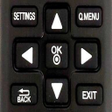
Used LG TV Remote for Android?
Editors’ Review
Experience a compact replacement: LG TV Remote by Just Remote Control is an Android utility that turns a smartphone into a digital substitute for an LG television remote. It controls power, volume, channel navigation, input selection, playback, and menu access with a layout that mirrors original hardware. Zero-configuration pairing works on phones with IR blasters, so basic controls operate without network access, targeting LG owners who need a reliable portable backup.
Top Recommended Alternative
Experience a direct mapping of TV controls to a handheld interface. The app exposes power, volume, channel navigation, input selection, menu/home access, and playback buttons, plus a numeric keypad for direct channel entry. Moreover, the layout intentionally mirrors physical LG remotes so commands match expected positions. This focus on the essential keys keeps the interface uncluttered and suited to quick sessions.
It replicates core remote functions on your phone
Its system impact stays minimal on compatible Android devices
Because the developer positions it as a lightweight utility, storage and background activity remain minimal. In addition, basic remote actions do not require an internet connection, since the app can use a phone's IR transmitter to send commands directly to the set. Nevertheless, phones without an IR emitter cannot use those offline control paths and rely on other connectivity if supported.
Operating via infrared keeps interactions non-invasive
Controls are transmitted as standard infrared signals, so the tool issues the same command set a physical remote would. Moreover, it does not write to the television's firmware or internal storage; it sends input commands only. For owners concerned about change management, the app's reliance on standard remote codes reduces the risk of unexpected system alterations compared with utilities that modify device software.
Setup is accessible, but usefulness depends on phone compatibility
Installation and daily use aim for low complexity, with a zero-configuration path on phones that include an IR blaster. In addition, the familiar button layout lowers the learning curve for people accustomed to physical LG remotes. However, usefulness depends on phone model compatibility and users report mixed to positive feedback about its utility as a backup replacement.
Pros
- Zero-configuration setup for phones with IR blasters
- Familiar button layout mirrors original LG remote
- Basic controls do not require an internet connection
- Lightweight application with small storage footprint
Cons
- Requires phone hardware compatibility for full offline control
- Functionality limited on devices without an IR emitter
- May display advertisements during use
Bottom Line
A practical backup choice for compatible phones, with a clear hardware trade-off
The app is a pragmatic option for LG owners who want a phone-based spare remote. Its primary limitation is reliance on handset compatibility to deliver full offline control, which narrows usefulness for many devices. For those whose phones support the necessary transmission method, the app performs reliably as a quick replacement for misplaced or damaged physical remotes. Consider keeping the app on your home screen for fast access.
Used LG TV Remote for Android?
Explore More

Online Tracker for Instagram : Usage Tracker
Free
MOD Bus Simulator Indonesia BUSSID Tanpa Password
Free
Riqueza Robótica
Free
Only Back Button - Single touch back button
Free
SCD Sensor App
Free
Cubecard:For Gift Card Trader
Free
録画リストAQUOS専用
Free
Hide Master-Privacy App Lock
Free
Kot Conveyor
Free
Anime Shazam
Free
Rock Conveyor Calculator (Belt Conveyor)
Paid
Live TV All Channels Free Online Guide 2019
Free











