Used Launcher OS Proo Max for Android?
Editors’ Review
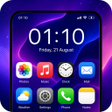
Experience an iOS-inspired visual overhaul on Android with Launcher OS Proo Max, developed by AVEDIA. The app replaces the device home screen with a themed interface that emphasizes organized layouts and modern motion. It delivers visual refinements such as configurable widgets, an integrated quick-access control panel, and automated app sorting. Targeted at Android owners who prefer an iOS appearance, it offers a device-level aesthetic change without replacing the underlying operating system.
What the app changes and how it behaves visually
The app installs as a launcher that acts as a visual overlay, substituting default home and navigation components with an iOS-inspired presentation. Key visible elements include standardized icon grids, a Smart App Library that automatically groups apps, an integrated Control Center for toggles like Wi-Fi and brightness, customizable lock-screen notification styles, themed icon packs, and gesture-accessible Smart Search.
How it interacts with device performance during daily use
AVEDIA states the app is designed for fast, lightweight performance so animations and transitions stay responsive. The launcher is optimized for modern Android releases to support advanced transparency and motion effects, and regular updates add current design elements. Device impact therefore depends on handset graphics capability and OS version; older hardware may not reproduce every visual effect smoothly.
Whether it operates safely within Android without system-level changes
The tool functions strictly as a launcher, not as an OS replacement, which keeps core system components intact. It includes a hide-app feature to remove icons from the home screen and presents system toggles through its Control Center interface. Because it replaces only the home interface, standard system recovery and account protections remain in place.
Who can configure it and how deep customization goes
The app suits users who want a polished, iOS-like look with minimal manual setup, as the Smart App Library reduces folder management. Advanced users can fine-tune themes, icon packs, and lock-screen visuals for a more tailored result. Compared with icon-pack-only launchers, this tool bundles multiple interface utilities into one install, which increases configuration options for both casual and experienced customizers.
Pros
- High-fidelity replication of iOS-style interface
- Smart App Library automates application organization
- Integrated Control Center provides quick system toggles
- Designed for fast, lightweight animations and transitions
Cons
- Advanced transparency and animations need modern Android support
- iOS-like layout may conflict with Android interface conventions
- Visual fidelity varies by device graphics capability
Bottom Line
Useful choice for visual customizers, with a hardware-based trade-off
The app is a solid option for Android users seeking an iOS-style interface because it centralizes visual features and automated organization while preserving the underlying system. The primary trade-off is reliance on modern device graphics and OS support to render advanced transparency and motion correctly. Practical tip: evaluate animation and theme settings on your device after install to match visual effects to hardware capability.
Used Launcher OS Proo Max for Android?











