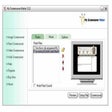
Lattice 3D Screen Saver for Windows
- By Yaasoft
- Trial version
- User Rating
Used Lattice 3D Screen Saver for Windows?
Lattice 3D Screen Saver Analysis
AI Assisted Content ·
Not written by CNET Staff.
Lattice 3D Screen Saver is a multimedia application designed for Windows that transforms your screen into an animated 3D environment. This trial version software offers a variety of stunning visual effects and customizable settings that allow users to create a unique and immersive screen saver experience. With its advanced algorithms, it generates intricate lattice structures that shift and evolve dynamically, providing an engaging backdrop for your desktop.
Top Recommended Alternative
The application supports various configuration options, enabling users to adjust parameters such as color schemes, animation speed, and lattice complexity. This level of customization ensures that the visuals can be tailored to individual preferences, making it suitable for both personal use and professional presentations. Lattice 3D Screen Saver is an innovative choice for those looking to enhance their screen with captivating animations.
Lattice 3D Screen Saver for Windows
- By Yaasoft
- Trial version
- User Rating
Used Lattice 3D Screen Saver for Windows?
Explore More

VideoCAD Lite
Trial version
PixPlant Standalone
Trial version
Plex.Earth Tools for AutoCAD
Trial version
VideoCAD Starter
Trial version
Ivan Image Converter
Trial version
Custom Framer - Personal Edition
Trial version
Save Flash Player
Trial versionPNGOUT for Adobe Photoshop (32-bit)
Trial version
PDF Server for Windows 2015
Trial version
abylon EXIF-CLEANER
Trial versionOBJ Import for Solid Edge
Trial version
Autodesk Revit Architecture
Trial version