Used Kutools for Outlook for Windows?


Editors’ Review

Download.com staff
This software equips Microsoft Outlook with powerful productivity tools. It offers features like automated auto-replies, customizable CC/BCC rules, one-click bulk email forwarding, robust junk mail filtering, and duplicate item removal for emails and contacts.
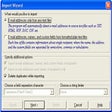
Enlarged image for Kutools for Outlook
Kutools for Outlook 0/1
  • Pros

    • Easy auto-reply setup for out-of-office messages.
    • Automatic CC/BCC with customizable rule-based application.
    • One-click forwarding of multiple emails individually.
    • Powerful junk email filter reduces unwanted inbox messages effectively.
    • One-click operations for removing duplicate emails and contacts.
  • Cons

    No Cons available


Used Kutools for Outlook for Windows?


Explore More


Full Specifications

GENERAL
Release
Latest update
Version
2.0
OPERATING SYSTEMS
Platform
Windows
Operating System
  • Windows 8
  • Windows 7
  • Windows XP
  • Windows 10
  • Windows Vista
  • Windows 2003
  • Windows Server
Additional Requirements
Microsoft Outlook 2010 and 2013
POPULARITY
Total Downloads
1,819
Downloads Last Week
7

Report Software

Program available in other languages


Last Updated


User Reviews

1/5

1 User Votes


Developer’s Description

Equip your Microsoft Outlook with multiple handy functions and tools.
Easily set up auto reply for out of office. Automatically cc / bcc every sending e-mail and easy for customizing rules. Forward multiple e-mails individually with one-click. Powerful junk e-mails filter helps reduce unwanted messages in your inbox. Bunch of one-click operations: such as remove duplicate e-mails / contacts. More new powerful features for Microsoft Outlook 2010 and 2013.

Download.com
Your review for Kutools for Outlook