Used Knock lock screen - Applock for Android?


Knock lock screen - Applock Analysis

AI Assisted Content ·

Not written by CNET Staff.

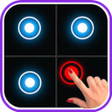
Knock Lock Screen - Applock is a free Android utility that offers innovative locking methods to enhance device security. This application features three distinct locking options: Knock Lock, Pattern Lock, and Time Password Lock. Its unique invisible path for unlocking ensures that the access pattern changes every minute, significantly reducing the chances of unauthorized access. Additionally, the app prevents accidental calls and allows users to customize the knock position on the screen for added convenience.

The application operates using Device Administrator permissions to enable a double-tap functionality for locking the device. This feature allows users to secure their devices quickly without compromising their privacy, as the app does not access personal data. Knock Lock Screen - Applock is designed to be lightweight, consuming minimal memory and battery while providing essential features like 12-hour and 24-hour time formats, unlock vibration, and sound options.

Enlarged image for Knock lock screen - Applo…
Knock lock screen - Applock 0/4

Used Knock lock screen - Applock for Android?


Explore More

Full Specifications

GENERAL
Release
Latest update
Version
1.7.4
OPERATING SYSTEMS
Platform
Android
Operating System
Android 15.0
POPULARITY
Total Downloads
1
Downloads Last Week
0

Report Software

Last Updated


Developer’s Description

Are you worried about exposing your PIN while you unlock your phone...

Are you worried about exposing your PIN while you unlock your phone?

Here comes Knock Lock - Applock for the rescue. The innovative Lock Screen that will leave intruders baffled!

Knock Lock Screen - Applock is the new way of locking devices.

All you need to do is tap Knock Knock on the screen and unlock your device. MAGIC! No one able to guess what you did to open your lock screen because its fully INVISIBLE.

Available Lock Type

1. Knock Lock

2. Pattern Lock

3. Time password lock

Features of locks are-

1. Prevent Unauthorized Access

2. Invisible path to Unlock Pattern/lock change every minute.

3. Helps preventing accidental calling.

4. Prevents others from using your device.

5. Superbly rich graphics.

6. Consume less memory and battery, Simple and Clean device.

7. 100% safe and secure

8. 12 hour and 24 hour format both supported

9. Unlock vibration enable/disable

10. Unlock sound enable/disable

11. Highly secure lock screens

12. Choice to set knock position on screen.

Knock Lock uses the Device Administrator permission.

To enable Double tap to lock, please activate Knock Lock as "device administrator". It's only used for lock device on double tap on floating icon.

Please be assured that Knock Lock Screen will never use these permissions to access your private data.


Download.com
Your review for Knock lock screen - Applock
Download.com

AI Assisted Content Disclosure

Content created and reviewed by Softonic with information obtained from knock lock, using AI.

CNET's editorial team was not involved in the creation of this content. Opinions, analysis and reviews were not provided by CNET.