Used Kinetic Energy Calculator for Windows 8 for Windows?
Kinetic Energy Calculator for Windows 8 Analysis
AI Assisted Content ·
Not written by CNET Staff.
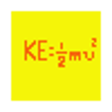
Kinetic Energy Calculator for Windows 8 is a free application designed to assist users in calculating kinetic energy with ease. This program allows users to input mass and velocity values to determine the kinetic energy of an object using the standard formula (KE = 0.5 * mass * velocity^2). The interface is straightforward, enabling quick calculations without unnecessary complexity, making it suitable for students, educators, and anyone interested in physics or engineering applications.
Top Recommended Alternative

The software is compatible with Windows 8 and offers a user-friendly layout that simplifies the input process. Users can easily switch between different units of measure, enhancing the tool's versatility. The Kinetic Energy Calculator aims to provide accurate and efficient calculations, making it a valuable addition to the toolkit of anyone engaged in scientific studies or practical applications involving motion.
Used Kinetic Energy Calculator for Windows 8 for Windows?
Explore More

Aman Arabic Accountant
FreeUlysses
Trial versionKentucky Eviction Notice
Free
Microsoft Dynamics CRM clients for Outlook Compatibility Update (Service Provider Edition)
Free
product key finder tutorial for Windows 10
PaidEasy Sale System
Trial version
Perfect PDF Reader for Windows 10
FreeFriendship Management
Trial version
MIDI ReLink for Windows 10
FreeWindows Identity Card Printing
Trial versionStock List
Trial version
Clipdiary Free
Free











