Used KillSud - killer sudoku for Android?


KillSud - killer sudoku Analysis

AI Assisted Content ·

Not written by CNET Staff.

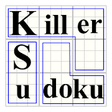
KillSud - Killer Sudoku is a free Android puzzle game that redefines traditional Sudoku with added complexity. This game introduces two significant rules: each cage's numbers must sum to a specified total, and no number can repeat within a cage. With over 4,000 puzzles available, ranging from easy to extremely challenging, players can expect to engage their problem-solving skills for hours on end.

Top Recommended Alternative

The application features a sum calculator to assist players in selecting the correct numbers, alongside comprehensive help options accessible via the menu. Additionally, it includes an auto-save and restore feature for ongoing games, as well as an undo function for correcting mistakes. These attributes make KillSud an appealing choice for Sudoku fans seeking a fresh and stimulating puzzle experience.

Enlarged image for KillSud - killer sudoku
KillSud - killer sudoku 0/4

Used KillSud - killer sudoku for Android?


Explore More


Full Specifications

GENERAL
Release
Latest update
Version
6.5
OPERATING SYSTEMS
Platform
Android
Additional Requirements
Requires Android 1.6 and up
POPULARITY
Total Downloads
536
Downloads Last Week
2

Report Software

Program available in other languages


Last Updated


Developer’s Description

KillSud - Killer Sudoku is a variation of Sudoku, as described at Wikipedia...

KillSud - Killer Sudoku is a variation of Sudoku, as described at Wikipedia:

http://en.wikipedia.org/wiki/Killer_sudoku

In addition to the rules of regular Sudoku, there are two more rules in KillSud:

1) The sum of all numbers in a cage must match the small number printed in its corner.

2) No number appears more than once in a cage.

Play the exciting game of KillSud and test your skills.

* KillSud contains over 4,000 puzzles ranging from fairly easy to really complicated in 6 levels of difficulty.

* A special sum calculator to help in choosing the numbers.

* Detailed help is available under "menu".

* AutoSave / AutoRestore of ongoing puzzle.

* Undo moves (no redo) - See Help for details.

If you encounter any bug in KillSud please e-mail the developer with details. Don't report it in reviews

NOTE1: Click the white area of the running timer to toggle showing elapsed time on/off.

NOTE2: The little purple box below the [new] button is an addition helper. Click on it and the sum of the "marked cage" is added.

To prevent adding the same cage twice, each cage can be added to the addition helper ONLY ONCE (until the helper is cleared)

Long-click the helper to clear it.


Download.com
Your review for KillSud - killer sudoku
Download.com

AI Assisted Content Disclosure

Content created and reviewed by Softonic with information obtained from BotenSoft, using AI.

CNET's editorial team was not involved in the creation of this content. Opinions, analysis and reviews were not provided by CNET.