Used JES Video Cleaner for Mac?
Editors’ Review
JES Video Cleaner for Mac reduces noise in a user's existing video files by analyzing and reprocessing them, based on customizable settings the average consumer won't understand and in an interface that is not too easy to use.
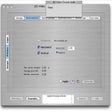
JES Video Cleaner for Mac comes as a small downloadable ZIP, which you can extract wherever you choose. The interface is monotone and not very intuitive. The software comes with a Help file, which offers guidance on what steps to take and in what order, but contains no insight into what any of the settings mean. We were able to figure out the basics, selecting a source movie to clean and an output location for saving the results. For testing purposes, we chose a short home video clip, shot in low light to ensure maximum noise, assuming that the cleaned version would be noticeably different. We weren't wrong--JVC blurred the video beyond recognition. Thinking we were asking too much of the application, we chose a better-lit video, shot on the same camera, with identical settings and video codec. We made no changes to the output settings, except the file name. When we attempted to de-noise this one we received an error message and the operation aborted. We tried another video with identical settings, and received an identical error message again.
JES Video Cleaner for Mac's cryptic video settings mean that the software is of little use to all but professionals and the most advanced of video hobbyists. However, its unpredictable functioning may exclude even this potential user base.
What’s new in version 1.4.3
Explore More

Sponsored
Adobe Stock
Trial version
Adobe Encore CS6
Paid
Mac Screen Recorder Studio
Trial version
4Media Video Frame Capture for Mac
Trial version
Pavtube HD Video Converter
Trial version
Cinematica
Trial version
AMS Video Compress
Trial version
4Videosoft Flip Movie Converter for Mac
Trial version
HUDTube Video Player
Paid
Pavtube MTS/M2TS Converter
Trial version
Free MTS M2TS Converter (Mac)
Trial version
Elasty
Trial version











