Used iStonsoft PDF Creator for Windows?


iStonsoft PDF Creator Analysis

AI Assisted Content ·

Not written by CNET Staff.

iStonsoft PDF Creator is a trial version software designed for Windows that specializes in creating and managing PDF documents. This multimedia tool allows users to convert various file formats into PDF, ensuring high-quality output. The software supports multiple input formats, making it versatile for users needing to compile documents from different sources. Additionally, it features user-friendly navigation, allowing for a straightforward experience when creating PDFs with custom settings.

Top Recommended Alternative

The program is equipped with essential functionalities that enable users to merge, split, and edit PDF files efficiently. With its intuitive interface, users can easily adjust settings such as page orientation and size before finalizing their documents. iStonsoft PDF Creator also includes options for adding watermarks and annotations, enhancing the overall document presentation. Overall, it caters to both casual users and professionals looking for a reliable solution for their PDF needs.

Enlarged image for iStonsoft PDF Creator
iStonsoft PDF Creator 0/1

Used iStonsoft PDF Creator for Windows?


Explore More


Full Specifications

GENERAL
Release
Latest update
Version
2.1.18
OPERATING SYSTEMS
Platform
Windows
Operating System
  • Windows Vista
  • Windows 7
  • Windows XP
  • Windows 2000
  • Windows 8
  • Windows 10
Additional Requirements
None
POPULARITY
Total Downloads
985
Downloads Last Week
0

Report Software

Program available in other languages


Last Updated


Developer’s Description

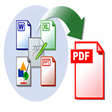
Create PDF files from Word/Excel/Text/PPT/image documents.
iStonsoft PDF Creator has the following features: 1. Create PDF files from Windows programs with PDF Creator: PDF Creator can create PDF documents from Microsoft Office 2003/2007/2010: Word, Excel, PowerPoint. PDF Creater can convert PDF files from images: JPEG, GIF, BMP, PNG, TIFF, EMF. PDF Creator can create PDF files from TXT, DjVu, CHM, RTF. PDF Creator provides various ways to complete creating PDF files, print document with visual printer, drag and drop. 2. Edit PDF files with PDF Creator: PDF Protection: There are two encryption systems designed by PDF Creator software. One is user password which can disallow PDF readers to open the document. The other is owner password to prevent unauthorized copying of information contained inside of the PDF. The password is 40bit to 128 bit. Merge PDF: Combing various format files into one PDF document which will display according to the file loading sequence. Stampstring: Create PDF files with your unique text logo. Set font, color, size, style, script, or whether outline. High compression rate: All text objects and images can be compressed to reduce the file size of a PDF. There are plentiful editing functions designed by PDF Creator for professional users to create optimized PDF files. 3. Fast creating speed and easy-to-use design: Various PDF creating ways help users easily create PDF files. PDF Creator can output PDF document (1.2/1.3/1.4) compatible with Adobe Acrobat 9.0. Multi-languages supported: English, Italian, Portuguese, German, French, Spanish, Traditional Chinese, Simplified Chinese are available.

Download.com
Your review for iStonsoft PDF Creator
Download.com

AI Assisted Content Disclosure

Content created and reviewed by Softonic with information obtained from iStonsoft Studio, using AI.

CNET's editorial team was not involved in the creation of this content. Opinions, analysis and reviews were not provided by CNET.