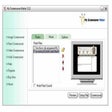
This utility is a fine way to turn QuickTime-compatible movies and images into screensavers for both personal and professional use. A step-by-step wizard walks you through the hassle-free process of choosing video or pictures, adding music, and applying transition effects and delay times. Once you've created your file, you can fine-tune it via a tabbed interface that's not beautiful but is functional. iScreensaver Designer lets you choose transition effects separately for each frame and set the level of JPEG conversion to make your installers more compact without considerable quality loss. If you're planning to distribute your screensavers to the masses, the program can generate a key-protected installer that displays all pictures only after the user has registered. It also is possible to change the design of installers. Whether you just need to create screensavers for yourself or you have greater commercial aspirations, this program provides a handy solution.
What’s new in version 6.7.1.1345
Version 4.5.0.388 may include unspecified updates, enhancements, or bug fixes.
it's compatible with quicktime but the features are not excellent
Cons
Summary
Fair..ishly poor
Bledingskull
Pros
Well...the programming is ok allowing you to somewhat create your own screensaver. The graphics capabilities are minimal...most of the features are just like powerpoint slideshows.
Cons
Hard to use, few features available in the free trial. Costs $29 to pay for more of nothing.
Summary
Fast, intuitive, powerful.
technopete
Pros
Easy interface and smooth workflow. Created a simple .mov screen-saver in under 5 minutes. Cross-platform result adds to my marketing!
Cons
Summary
Two Flaws Need Fixing
jcoberly
Pros
Highly customizable. Easy to use. Great GUI.
Cons
Transitions between slides are too limited. Had a flaw that crashed it.
Summary
this is great!
partydub
Pros
i had to make a memorial screensaver for my family - my mom uses windows ME, my dad XP, my youngest brother uses Mac OS X... so everyone had a different system... i only had to make it once here...
Cons
Summary
Crashes
the-greywolf
Pros
Cons
Starts up and then crashes immediately when I opened a new project file
Summary
NO stars, actually - but i HAVE TO choose ONE
asdfghjkl
Pros
NO GOOD POINTS WHATSOEVER
Cons
It doesn't work. I get a shortcut in my desktop which I didn't ask for - when I click it, the eggtimer appears briefly - but it doesn't work. Nothing happens,
<p>what a waste of time - i am not impressed.
Summary
The Program costs $199.00!!!
Pros
Cons
Summary
If you want to use this program to sell screensavers the price goes up SUBSTANTIALLY, plus it is constantly accessing the internet, whats that all about?
Create screensavers using QuickTime, Flash, or OpenGL images.iScreensaver Designer is a cross-platform screensaver editing toolkit that builds screensavers for both Mac OS X and Windows XP thru 7, using Images, QuickTime files, MPEG and H.264 Movies, as well as Adobe Flash (SWF) files. It includes a powerful OpenGL animation engine, and a built-in single-file installer. A free trial version with no time limit is available for download.