Used iRotate for Windows?


Editors’ Review

Download.com staff
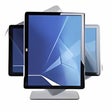
iRotate offers quick access to display driver rotation features through a system tray menu and hotkeys. It simplifies screen orientation without needing complex workarounds.
Enlarged image for iRotate
iRotate 0/1
  • Pros

    • Convenient system tray access for rotation
    • Supports system-wide hotkeys
    • Leverages native display driver capabilities
    • Avoids bloated Windows hacks
    • Streamlined screen orientation
  • Cons

    • Relies on existing driver support
    • No mention of multi-monitor management
    • Limited customization options inferred

Used iRotate for Windows?


Explore More


Full Specifications

GENERAL
Release
Latest update
Version
1.38
OPERATING SYSTEMS
Platform
Windows
Operating System
  • Windows XP
  • Windows Vista
  • Windows 98 SE
  • Windows 2000
  • Windows 2003
  • Windows 98
  • Windows ME
POPULARITY
Total Downloads
10,890
Downloads Last Week
7

Report Software

Program available in other languages


Last Updated


Developer’s Description

Access display drivers from the system tray.
iRotate provides convenient access to the native rotation capabilities present in contemporary display drivers, via a popup menu accessible from the system tray and optional system-wide hotkeys. It's no longer necessary to resort to bloated Windows hacks, additional software layers or phantom drivers to achieve content rotation. In most instances, support is now available directly from the graphics chip manufacturers, who continuously improve and apply quality assurance to their drivers.

Download.com
Your review for iRotate