
Used iOS 26 Aesthetic Widgets for Android?
Editors’ Review
iOS 26 Aesthetic Widgets delivers a screensaver & wallpaper utilities experience focused on visual customization, offering a collection of home screen widgets designed to enhance layout aesthetics. The program stands out for its minimalist design approach, appealing to users who want a polished interface without spending too much time configuring every detail.
Top Recommended Alternative
iOS 26 Aesthetic Widgets presents itself as a personalization tool built around widget customization and visual consistency. The program emphasizes ease of use, making it accessible for users who want quick aesthetic improvements while maintaining a clean and organized layout across their home screen with minimal setup effort required.
iOS 26 Aesthetic Widgets provides a selection of widget styles, including clock widgets, calendar panels, and basic information displays, allowing users to personalize their home screens with minimal effort. The program focuses on visual consistency and aesthetic layouts, which makes it appealing for casual customization. However, options may feel limited for users expecting deeper widget customization controls or more advanced design flexibility in daily use.
Simple widget customization with limits
The program is built around simple navigation, quick setup, and minimal configuration, making it easy to apply widgets without technical knowledge or complex steps. Its interface supports fast adjustments and clear organization, which improves accessibility for everyday users. On the downside, the simplicity can result in fewer advanced tools, which may not satisfy users looking for detailed customization or layered widget editing features.
User experience remains stable with lightweight performance, smooth widget loading, and consistent responsiveness across typical usage scenarios. The tool works efficiently without adding noticeable strain, making it suitable for regular personalization tasks. However, it lacks deeper system integration and more dynamic widget features found in advanced alternatives, positioning it as a basic customization tool rather than a fully featured widget suite.
Pros
- Clean widget designs
- Easy setup process
- Lightweight performance
- Visual consistency
Cons
- Limited customization depth
- Basic feature set
Bottom Line
With limited flexibility
iOS 26 Aesthetic Widgets offers clean widget designs, an easy setup process, lightweight performance, and strong visual consistency, making it a practical option for everyday personalization. However, it shows limited customization depth and a basic feature set, which may not meet advanced user expectations. Overall, it is best suited for users who prefer quick and simple personalization rather than complex widget configuration or highly detailed customization workflows.
What’s new in version 1.0.0
- Initial release introduces core widget styles for home screen customization
- Includes basic clock and calendar widget options for everyday use
- Optimized for stable performance during widget application and updates
- Minor refinements focused on improving overall usability and responsiveness
Used iOS 26 Aesthetic Widgets for Android?
Explore More

OneUI 8.5 - icon pack
Free
N Launcher - Nougat 7.0
Free
Kustom Weather Komponents
Paid
Infinix Launcher for Android
Free
Video Live Wallpaper
Free
Ocean HD Free
Free
Ultimate File Manager Pro
Free
Popcat Rhythm - Beat Jump
Free
ColorCross Free Christian LWP
Free
Allah Name Live Wallpapers
Free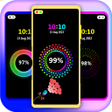
Battery Animation Charging 3D
Free
HexShaders
Free











