Used iOS 14 Style KLWP Theme for Android?


iOS 14 Style KLWP Theme Analysis

AI Assisted Content ·

Not written by CNET Staff.

iOS 14 Style KLWP Theme is an Android application designed to enhance the visual experience of your device. This program allows users to customize their home screen with a theme that mimics the aesthetic of iOS 14. It features a range of customizable elements, including widgets, wallpapers, and interface layouts, providing a fresh look to Android devices. Users can adjust various settings to tailor the theme according to their preferences, enabling a personalized user experience.

The application is built on the Kustom Live Wallpaper Maker (KLWP) platform, which means it requires KLWP to function properly. With a user-friendly interface, iOS 14 Style KLWP Theme offers seamless integration of dynamic elements, ensuring that the home screen remains engaging and visually appealing. This full version program is suitable for users looking to transform their Android devices with a modern and stylish theme.

Enlarged image for iOS 14 Style KLWP Theme
iOS 14 Style KLWP Theme 0/4

Used iOS 14 Style KLWP Theme for Android?


Explore More


Full Specifications

GENERAL
Release
Latest update
Version
v2020.Aug.15.17
OPERATING SYSTEMS
Platform
Android
Additional Requirements
Requires Android 5.0 and up
POPULARITY
Total Downloads
96
Downloads Last Week
0

Report Software

Program available in other languages


Last Updated


Developer’s Description

This app is not a stand-alone app. It requires KLWP Pro Key...

**This app is not a stand-alone app. It requires KLWP Pro Key**

*Basic Set-Up*

Install KLWP along with the Pro Key

Install this application

Tap the theme to open it up in KLWP.

Create 4 empty pages with no docks or icons

Click the save button in the top right corner and set KLWP as your wallpaper in your launcher

*Customisation Help*

To change the apps either go to 'shortcuts' tab on the bar or navigate to the relevant places in the "kode"

To change the background of the wallpaper go to the 'Globals' tab where it will ask you to pick an image.

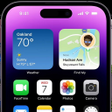
This theme is inspired by the interface of the new iOS 14 operating system. Each page that is available on iOS is replicated in this design. It is a 4-page setup. The recommended launcher is Nova Launcher. All widgets and pages are themed on their iOS equivalents

*Widget Screen*

This screen is available when the user swipes to the leftmost screen. It features three widgets with space for the user to add more of their choosing. The widgets include a news widget, an interactive battery widget and an analogue clock. The news widget is taken from the latest news articles within CNN and can be refreshed by clicking the news logo in the top right of the widget. Another widget is also the search bar at the top of the screen which leads the user to a Google search

*Default Screen*

The screen that is shown upon launch of the theme is the central screen and features a selection of 8 apps along with another 4 at the bottom of the page. The widgets that are featured include a weather widget and a calendar widget.

*Screen 3*

This screen is the same as the default screen with a few minor changes. The selection of 12 apps and the calendar widget remain however the weather widget is replaced with a music widget. Further information about the music widget is below.

*Music Widget*

At first glance the music widget features only the music cover and the artist name however when the user touches the widget it shows a more advanced music widget with music controls including pause/play and previous/skip. These controls change colour based on the music cover.

*App Library*

iOS 14's newest feature the app library has been replicated in this theme. Apps are placed in folders based upon their categories. Categories included are:

Social

Entertainment

News & Sport

Games

Utilities

In my preset some popular apps are already placed within the required fields. If you wish you may add more apps to this app library through the "kode." In addition there is a search bar at top which when clicked leads the user to a system-wide search.

I am in no way affiliated with Apple.

Special thanks to the r/Kustom subreddit on reddit for the help in making this set-up


Download.com
Your review for iOS 14 Style KLWP Theme
Download.com

AI Assisted Content Disclosure

Content created and reviewed by Softonic with information obtained from Vihaan Balakrishnan, using AI.

CNET's editorial team was not involved in the creation of this content. Opinions, analysis and reviews were not provided by CNET.