Used Instant Housecall for Windows?


Editors’ Review

Download.com staff
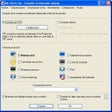
This remote access tool offers robust features for IT professionals and MSPs to control PCs and Macs, automate repairs, and transfer files efficiently.
Enlarged image for Instant Housecall
Instant Housecall 0/2
  • Pros

    • Remote access for PC and Mac
    • Automated PC repair integration
    • Drag-and-drop file transfer
    • Branding options for UI and icons
    • Multi-monitor support and UAC compatibility
  • Cons

    • Primarily targets IT professionals
    • No explicit mention of Linux support

Used Instant Housecall for Windows?


Explore More


Full Specifications

GENERAL
Release
Latest update
Version
7.0.1
OPERATING SYSTEMS
Platform
Windows
Operating System
  • Windows 10
  • Windows 11
  • Windows 8
  • Windows 7
Additional Requirements
Internet connection
POPULARITY
Total Downloads
472
Downloads Last Week
12

Report Software

Program available in other languages


Last Updated


Developer’s Description

Remote access PC & Mac, Fix PCs automatically, transfer files and reboot.
Remote support for IT Pros and MSPs. View and control any PC or Mac in seconds. Brand the UI, splash screen and desktop icons with your company logo. Repair computers automatically with integrated Remote d7 from Foolish IT baked right in. Drag-and-drop files between PCs, reboot into safe mode and more. Provide on-demand support with a temporary session, or access unattended PCs for routine service and maintenance. Instant Housecall includes powerful features like reboot and reconnect, drag-and-drop file transfer, chat, session history and notes, multi-monitor support, and full UAC compatibility and works through firewalls. Easy for novices, powerful for IT Pros.

Download.com
Your review for Instant Housecall