Used Image Cut Pro Free - Auto Cut Paste Photo Editor for Android?


Image Cut Pro Free - Auto Cut Paste Photo Editor Analysis

AI Assisted Content ·

Not written by CNET Staff.

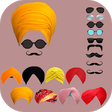
Image Cut Pro Free - Auto Cut Paste Photo Editor is a multimedia application designed for Android users who want to enhance their photo editing experience. This app provides a range of features that allow users to cut, paste, and edit images with ease. It is particularly useful for creating custom images by removing backgrounds and combining different elements into a single photograph.

The application boasts an intuitive interface, making it accessible for both casual users and photography enthusiasts. Key features include automatic background removal, a variety of editing tools, and the ability to share edited images directly from the app. Overall, Image Cut Pro Free serves as a versatile tool for anyone looking to create unique images on their Android device.

Enlarged image for Image Cut Pro Free - Auto…
Image Cut Pro Free - Auto Cut Paste Photo Editor 0/3

Used Image Cut Pro Free - Auto Cut Paste Photo Editor for Android?


Explore More


Full Specifications

GENERAL
Release
Latest update
Version
1.0
OPERATING SYSTEMS
Platform
Android
Additional Requirements
Requires Android 4.0.3 and up
POPULARITY
Total Downloads
24
Downloads Last Week
0

Report Software

Program available in other languages


Last Updated


Developer’s Description

Image Cut Pro Free - Auto Cut Paste Photo Editor unique photo and image editor by cutting or cropping self from your gallery photos.

Image Cut Pro Free - Auto Cut Paste Photo Editor unique photo and image editor by cutting or cropping self from your gallery photos.

Photo Crop, image crop the pic can be move from existing background to a new background or other beautiful background image.

Auto photo cut - Image Cut If you want to try to Photo Crop, image crop in the different similar background, Auto photo cut will be your best android app to remove the background removal tool.

Auto photo cut - Image Cutportrait, Image Cut, photo Crop, image crop can just simply cut yourself partout from the background Auto photo cut put you on another background as you want.

How to use theImage Cut Pro Free - Auto Cut Paste Photo Editor android app:

Select your photo: select a self-photo from your Android gallery.

Cut photo with Auto photo cut: cut the image part according to your wish with photo Crop, image crop

Remove an background with Auto photo cut - Image Cut: delete the background automatically select the other background where you want to place

Save photo with photo Crop, image crop: save your new photo in the android gallery share with friends.

Image Cut Pro Free - Auto Cut Paste Photo Editor Features:

Features:

Brush adjustment with photo Crop, image crop: choose the size of the brush which you want

Photo editing with Auto photo cut - Image Cut: move and rotate your image as you want

Auto photo cut Edge blur: blur the image edges of the part of your remaining photo and you can set by itself the blue level

Perfect combination withAuto photo cut - Image Cut: the remaining part of the photo cut.

the photo Crop, image cropnew background will be looked perfectly and the final relies picture will be like an natural image

Original photo withImage Cut, photo Crop: the original or existing photo will be remains in your android phone gallery.

Thanks for using the Image Cut Pro Free - Auto Cut Paste Photo Editorkindly leaves your feedback about app.


Download.com
Your review for Image Cut Pro Free - Auto Cut Paste Photo Editor
Download.com

AI Assisted Content Disclosure

Content created and reviewed by Softonic with information obtained from Appsjective, using AI.

CNET's editorial team was not involved in the creation of this content. Opinions, analysis and reviews were not provided by CNET.