Used Hypster for Windows?


Editors’ Review

Download.com staff
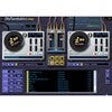
Hypster offers a desktop music experience beyond traditional radio. Create free playlists, enjoy unlimited skips, and listen commercially free with extensive music discovery options.
  • Pros

    • Create free music playlists.
    • Commercial-free music streaming.
    • Unlimited skips available.
    • No restrictions on artist song plays.
    • Hot keys for playback control.
  • Cons

    • Desktop application only.

Used Hypster for Windows?


Explore More


Full Specifications

GENERAL
Release
Latest update
Version
1.3
OPERATING SYSTEMS
Platform
Windows
Operating System
  • Windows 7
  • Windows Server
  • Windows 8
  • Windows Vista
  • Windows XP
  • Windows 10
  • Windows 2003
Additional Requirements
None
POPULARITY
Total Downloads
401
Downloads Last Week
0

Report Software

Program available in other languages


Last Updated


Developer’s Description

Create playlists and your own personal listening experience.
Hypster is a step up from the traditional online radio services.With Hypster you can create free music playlists and listen to them from your desktop using simple hot keys combination.We offer commercial free music, unlimited skips, and no restrictions on playing multiple songs by specific artists; just create your dream playlist and enjoy using Hypster for desktop. Hypster has over 10 million playlists including popular charts compilations, radio stations, festivals playlists, and more which are all ideal for music discovery. Hypster is designed to allow each user to listen to music the way they want and makes music available to its users whenever they want it.

Download.com
Your review for Hypster