Used Hypersudoku for Windows?


Hypersudoku Analysis

AI Assisted Content ·

Not written by CNET Staff.

Hypersudoku is a free puzzle game designed for Windows users, offering a unique twist on classic Sudoku gameplay. It features a 16x16 grid that adds an extra layer of complexity, combining traditional Sudoku rules with additional regions to fill. Players can expect to encounter various difficulty levels, making it suitable for both beginners and seasoned Sudoku enthusiasts. The interface is user-friendly, allowing for easy navigation and gameplay, while also providing options for hints and error checking to assist players in their puzzle-solving journey.

Top Recommended Alternative

In addition to the standard gameplay, Hypersudoku includes customizable settings that allow users to adjust the grid size and difficulty, enhancing the overall experience. The game supports various input methods, enabling players to choose their preferred style for entering numbers. With its engaging mechanics and multiple levels of challenge, Hypersudoku stands out as a compelling choice for puzzle game lovers looking for a fresh take on a classic format.

Enlarged image for Hypersudoku
Hypersudoku 0/1

Used Hypersudoku for Windows?


Explore More


Full Specifications

GENERAL
Release
Latest update
Version
1.4.2
OPERATING SYSTEMS
Platform
Windows
Operating System
  • Windows 98
  • Windows XP
  • Windows 2003
  • Windows 2000
  • Windows 10
  • Windows Server
  • Windows 8
  • Windows ME
  • Windows Vista
  • Windows NT
  • Windows 7
Additional Requirements
Adobe AIR Runtime 2.5
POPULARITY
Total Downloads
53
Downloads Last Week
0

Report Software

Program available in other languages


Last Updated


Developer’s Description

Solve a 9x9 grid Sudoku to achieve a mode advanced level.
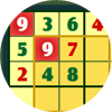
Turn on the hyper mode as you reach a more advanced level of the number puzzle which sweeps the world by storm. In this game you will be given a 9x9 grid, which is evenly divided into 9 squares. Your goal in the game is to put numbers 1 to 9 onto the blanks of the grid, such that the numbers will not be repeated in each row, each column, and each 3x3 square. In addition to that, 4 additional groups will be highlighted in deeper background, and the numbers in each of these groups should not be the same. You can click a number on the number pad on the left of the grid to fill in a blank. If a number you entered violates any of the above rules, the corresponding squares will be highlighted in red, and you can click the cross button at the bottom of the number pad to erase the number. If you are not able to make any moves, you may click the Hint button under the grid to reveal one of the answers, but note that each time you do so 100 seconds will be added to the time you have spent, as recorded at the bottom left corner of the screen. Take over all of the areas and become the ultimate winner.

Download.com
Your review for Hypersudoku
Download.com

AI Assisted Content Disclosure

Content created and reviewed by Softonic with information obtained from Novel Games, using AI.

CNET's editorial team was not involved in the creation of this content. Opinions, analysis and reviews were not provided by CNET.