Used Huge 80s Clock for Android?


Huge 80s Clock Analysis

AI Assisted Content ·

Not written by CNET Staff.

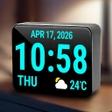
Huge 80s Clock is a free Android application designed for users seeking a customizable digital clock experience. Unlike typical clock apps, this tool allows users to create a visually appealing time and date display that enhances the aesthetic of their device. Users can adjust various settings, including time, date, colors, and fonts, ensuring a personalized touch to their clock interface.

The app also offers features such as hiding the status bar and adjusting brightness levels, which contribute to a cleaner and more focused display. Settings are stored on the device, ensuring that personalizations persist even when switching devices. Additionally, the app integrates with the system alarm clock to provide alarm functionality, making it a comprehensive utility for both timekeeping and customization.

Enlarged image for Huge 80s Clock
Huge 80s Clock 0/3

Used Huge 80s Clock for Android?


Explore More


Full Specifications

GENERAL
Release
Latest update
Version
10.0.3
OPERATING SYSTEMS
Platform
Android
Operating System
Android 15.0
POPULARITY
Total Downloads
8
Downloads Last Week
1

Report Software

Last Updated


Developer’s Description

This is a huge 80s clock, the biggest. It reproduces the fabulous 80s' clock. The display is always on. The design is customizable.

This is a huge 80s clock, the biggest! It reproduces the fabulous 80s' clock. The display is always on. The design is customizable.

Features:

It shows an extra-large digital clock.

It can show the day of the week.

It can show the calendar date

Clock color is adjustable.

Clock font is settable.

Clock format can be set to h24 or h12 and is automatically detected at the first launch.

Works in landscape and in portrait mode. The orientation can also be detected automatically.

The status bar can be hidden.

Moreover, it is possible to set an alarm. The alarm works also with the clock in background or with the phone locked.

It is possible to use Huge 80s Clock as screensaver through the Daydream function of Android. It is necessary that your phone is compatible with Daydream. This is the procedure:

1. Open Settings.

2. Tap Display.

3. Tap Daydream or Screensaver (depends on the phone) to see a list of apps that integrate with Daydream.

4. Select Huge 80s Clock as screensaver.

During the Daydream screensaver of Huge 80s Clock, it is possible to set the brightness of the screen using a dedicated icon.

Works on any device, including tablets. If you decide to use this clock during the night, since the monitor is always on, it is better to keep the device in charge.

Instead of give a bad review, please send me an email. I will try my best to solve any issue! :)


Download.com
Your review for Huge 80s Clock
Download.com

AI Assisted Content Disclosure

Content created and reviewed by Softonic with information obtained from Riccardo Camattari, using AI.

CNET's editorial team was not involved in the creation of this content. Opinions, analysis and reviews were not provided by CNET.