Used Go Fly 5: Drone Remote Control for Android?
Editors’ Review
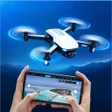
Go Fly 5: Drone Remote Control, developed by XAPPIFY, is an Android flight management and piloting app for modern UAV operation. The app provides low-latency HD FPV streaming, on-screen joysticks and an autonomous 3D waypoint mission planner for route design and execution. It also supplies real-time telemetry, airspace alerts, aviation weather data, and a Smart Return-to-Home routine. Target users include drone enthusiasts, aerial photographers, and commercial pilots who need precise mission automation and live operational data.
What does the app deliver for pilots?
The app combines manual piloting and automated mission tools into a single workflow. It offers a Precision Virtual Remote for on-screen joystick control, an HD Live FPV Stream for real-time camera monitoring, and an Autonomous 3D Waypoints planner that lets pilots set altitudes, speeds, and headings on satellite maps. The tool also supports Point-of-Interest orbiting and direct camera parameter adjustments for cinematic or surveying tasks.
Does the app keep video latency and control responsiveness low during flights?
The tool focuses on a stable, low-latency connection for high-definition live streaming and responsive control. It is built on an advanced flight SDK architecture intended to improve stability and compatibility with recent drone models, and the FPV feed is presented as an ultra-low latency stream to the device. That architecture targets smoother telemetry updates and reduced lag between input and aircraft response.
Is it safe to operate in regulated airspace and changing weather?
The application integrates airspace intelligence and aviation weather forecasting to surface safety-related alerts during planning and flight. It displays no-fly zones and restricted areas on maps and issues real-time warnings. For degraded links or low battery scenarios the app provides a Smart Fail-Safe Return-to-Home routine, and live telemetry exposes battery health and GPS signal strength for informed decisions.
Do I need technical knowledge to plan missions and use pro controls?
The autonomous mission planner simplifies complex routes into a visual 3D waypoint workflow, making mission setup accessible for operators who learn the map interface. Professional camera and gimbal adjustments give fine control but require familiarity with exposure, ISO, and shutter settings to avoid capture mistakes. The tool therefore suits both methodical hobbyists and trained commercial pilots; casual users face a learning curve for pro-level controls.
Pros
- Ultra-low latency HD FPV stream for near real-time video
- Autonomous 3D waypoint planner simplifies complex mission routing
- Integrated airspace intelligence shows no-fly zones and restricted areas
- Pro camera and gimbal adjustments from the mobile interface
Cons
- Requires modern Android device compatible with current SDKs
- Advanced camera and mission tools present a clear learning curve
- Targeted at drones supported by latest SDKs, not legacy models
Bottom Line
A practical choice for pilots who can meet device and skill requirements
For operators prepared to invest time learning mission planning and camera settings, the app is a capable alternative to manufacturer controllers and offers substantive operational telemetry. It requires a modern Android device that supports current mobile SDKs, which narrows compatibility for older handsets. Recommended.
Used Go Fly 5: Drone Remote Control for Android?











