Used geocoordinate & map for Windows?


Editors’ Review

Download.com staff
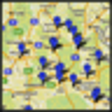
This app imports addresses, fetches geodata, and saves KML files for Google Maps. It simplifies creating custom maps with numerous placemarks and supports data export.
Enlarged image for geocoordinate & map
geocoordinate & map 0/1
  • Pros

    • Imports addresses and fetches geodata
    • Saves KML files for Google Maps integration
    • Exports data as tab-delimited text files
    • Simplifies bulk placemark creation on maps
  • Cons

    • Relies on Google API for geocoding
    • KML export is the primary output format

Used geocoordinate & map for Windows?


Explore More

Full Specifications

GENERAL
Release
Latest update
Version
1.0.3
OPERATING SYSTEMS
Platform
Windows
Operating System
  • Windows Vista
  • Windows XP
  • Windows 7
  • Windows 10
Additional Requirements
None
POPULARITY
Total Downloads
196
Downloads Last Week
0

Report Software

Program available in other languages


Last Updated


Developer’s Description

Import addresses, fetch geodata, save KML files to show them as place-marks in Google maps.
In google-maps, you can create your own maps displaying several placemaks with additional information. You may manually create placemarks in google-maps, but that might be a lot of work, if you have thousands of adresses to be displayed. For example, if you like to show all Fast-Food restaurants in the U.S.A. geocoordinate & map uses your address lists and saves them as kml-files, which are used by the google-api for displaying the placemakrs in a google-map. The google-map api only accepts kml-files holding the corrsponding geodata (latitude and longitude) to an address. Therefore geocoordinate & map first retrieves the corresponding geodata (latitude and longitude) to the addresse also using the google api. Since geocoordinate & map also exports plain tab-delimited text-files you may use the geo-information in many other navigation software products.

Download.com
Your review for geocoordinate & map