Used FxKeyboard for Windows?


The Download Now link will prompt a local download of the Firefox extension. To install the extension directly, open the file using your Firefox browser.

FxKeyboard Analysis

AI Assisted Content ·

Not written by CNET Staff.

FxKeyboard is a free Windows application designed to improve typing efficiency through customizable keyboard shortcuts and macros. This tool allows users to streamline their workflow by creating personalized key combinations for frequently used phrases, commands, and scripts, significantly reducing repetitive typing tasks. Its intuitive interface makes it accessible for users of all skill levels, enabling easy setup and management of shortcuts.

Top Recommended Alternative

Beyond basic functionality, FxKeyboard offers features such as the ability to assign shortcuts to various applications, making it versatile for different user needs. This application supports multiple languages and can be tailored to accommodate a wide range of workflows, from casual users to professional environments. Overall, FxKeyboard serves as a valuable tool for those looking to enhance their productivity and typing efficiency.

Enlarged image for FxKeyboard
FxKeyboard 0/1

Used FxKeyboard for Windows?


Explore More


Full Specifications

GENERAL
Release
Latest update
Version
2.4.1
OPERATING SYSTEMS
Platform
Windows
Operating System
  • Windows 10
  • Windows XP
  • Windows 7
  • Windows 2003
  • Windows Vista
Additional Requirements
Mozilla Firefox
POPULARITY
Total Downloads
96
Downloads Last Week
0

Report Software

Program available in other languages


Last Updated


Developer’s Description

Include a virtual key board on your Firefox browser.
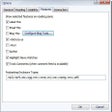
FxKeyboard is a virtual keyboard for Firefox. It adds a keyboard to the bottom of the window. It is useful for touchscreens or kiosks setups. It features auto-close, works on XUL, numbers and Special simbols with capslock, and works on Fullscreen.

Download.com
Your review for FxKeyboard
Download.com

AI Assisted Content Disclosure

Content created and reviewed by Softonic with information obtained from Marko Zabreznik, using AI.

CNET's editorial team was not involved in the creation of this content. Opinions, analysis and reviews were not provided by CNET.