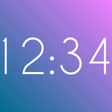
Used Fullscreen Clock for Android?
Editors’ Review
Fullscreen Clock by LeSorin turns an Android device into a dedicated fullscreen timekeeper for bedside or desk use. The app displays time and optional date in a large, uncluttered view, supports 12-hour and 24-hour formats, and lets you reposition the display manually. It includes visual controls for color and font and offers animated backgrounds. Ideal for Android users seeking a visible, customizable clock for a nightstand or workstation.
Top Recommended Alternative
As a dedicated display app, the tool converts a mobile screen into a readable time-and-date panel that minimizes on-screen clutter. It runs in fullscreen and focuses the device on showing time information clearly; settings control whether the date appears and which time format is used. During setup the user places the element on-screen and selects appearance options before leaving the device to function as a nightstand or desk clock.
What does Fullscreen Clock do?
Does it slow down your device during use?
The app centers on a single display task so baseline resource use is modest on modern hardware, but decorative rendering increases workload when enabled. Devices running older hardware will notice higher CPU and battery draw with moving backgrounds or heavy visuals. Compatibility requires Android 5.0 or higher, so performance is tied to device generation and graphics capability rather than the app performing background network tasks during normal display use.
Is it safe to use and does it require technical knowledge?
Setup and daily operation require no specialist skills: the interface leads with straightforward choices for time format and on-screen placement. Advertisements appear only during customization, keeping the running display free from interruptions. The app stays within the device display layer and does not request system-level changes, which makes it suitable for non-technical users who want guided visual controls without modifying core system components.
Who benefits most from Fullscreen Clock?
The app suits people who want a dedicated, visible timepiece for a nightstand, desk, or decorative display. Compared with many basic clock utilities, its emphasis on styling and decorative effects places it toward users who care about appearance as well as readability. Community feedback praises the developer's responsiveness to bug reports and feature requests, which supports users who expect active maintenance and iterative fixes.
Pros
- 100 distinct clock styles for varied visual choices
- Animated background options add decorative motion to the display
- Ad-free main display; advertisements only during customization
- Manual drag-and-drop positioning of the clock on screen
Cons
- Animated backgrounds can increase CPU and battery use on older devices
- Depth of options may overwhelm users wanting a simple clock
- Requires Android 5.0 or higher
Bottom Line
Practical choice for people who want a visible, maintained clock
Fullscreen Clock is a practical option for Android users who need a dedicated bedside or desk time display and prefer active developer support. It favors users who accept a feature-rich setup in exchange for design control, and it is less suited to someone seeking a bare-minimum, single-tap clock. Consider confirming visibility from typical viewing distances during setup. It runs reliably in continuous-display scenarios on compatible devices. Recommended.
Used Fullscreen Clock for Android?
Explore More

Crypt4All Lite (AES)
Free
Sinar Pulsa
Free
BGMI GFX Tool Pro Game Booster
Free
DSLR Camera Remote Control
Free
Shamel.TV Filmes e Series
Free
Smart AppLock Free
Free
LAN plugin for Total Commander
Free
Plant Sip
Free
Etto Swipe
Free
Rabbit Zawgyi <=> Unicode
Free
UV Kit: UV Camera Sun Index
Free
Psychology Book - 1000+ Amazing Psychology Facts
Free











