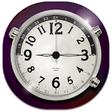
Used FREE Analog Clock Widget for Android?


FREE Analog Clock Widget Analysis

AI Assisted Content ·

Not written by CNET Staff.

FREE Analog Clock Widget is a versatile application designed for Android devices that allows users to personalize their home screens with a variety of clock designs. The application features a selection of customizable analog clock widgets, providing users the ability to choose different colors, sizes, and styles to match their preferences. The intuitive interface makes it easy to navigate through the options and select the desired configuration.

Top Recommended Alternative

In addition to its aesthetic features, the widget is designed to be lightweight and efficient, ensuring that it does not significantly impact device performance. Users can seamlessly integrate the clock widget into their home screens, and it offers a straightforward setup process. FREE Analog Clock Widget is an excellent choice for those looking to enhance their device's appearance while maintaining functionality.

Enlarged image for FREE Analog Clock Widget
FREE Analog Clock Widget 0/4

Used FREE Analog Clock Widget for Android?


Explore More


Full Specifications

GENERAL
Release
Latest update
Version
7.5.3
OPERATING SYSTEMS
Platform
Android
Additional Requirements
Requires Android 4.1 and up
POPULARITY
Total Downloads
17
Downloads Last Week
0

Report Software

Program available in other languages


Last Updated


Developer’s Description

Enjoy now our latest FREE Analog Clock Widget.

Enjoy now our latest FREE Analog Clock Widget !

FREE Analog Clock Widget is the first clock widget with real time seconds!

With an unique design FREE Analog Clock Widget will be the perfect match for your home screen!

Combine this clock widget with your favorite wallpaper and the result will be wonderful!

Get now our latest Clock Widget with second hand! FREE Analog Clock Widget is the best choice for your home screen!

With an unique design and an easy but professional interface, this clock widget will be a perfect fit for your phone.

It is very important to know that this widget is battery friendly ( this widget will not drain your battery).

HOW TO USE :

Long tap an empty space on the home screen (a space where you do not have app icons or other widgets)

Find the Widgets (or System Widgets) tab or icon and tap it

On Widgets screen swipe to find FREE Analog Clock Widget

Choose between 4 clock sizes (small, medium, large, huge)

On some devices you will have to long tap the desired clock and drag it on the home screen

Customize your clock with colors and desired transparency

Enable the second hand for a live experience

Match your clock widget with the best wallpaper designed by us

The app will also open a tutorial to show you how to place the clock widget on the home screen.

Clock Widget App is especially designed to help you be always on time and also make your phone more beautiful.

Our Clock Widget App offers you the possibility to choose between three sizes. Small (1x1) - a cute small clock that is the size of an icon, Medium (2x2) - the perfect size for those who want to make their phone the most beautiful and unique, Large (3x3) - the best size for you if you want everyone to notice your phone, Huge (4x4) - the biggest clock ever seen and it is just for your phone.

Our artists have prepared a lot of beautiful themed wallpapers for you to match it with your clock widget.

We have implemented some ads to help us develop more free apps just for you.


Download.com
Your review for FREE Analog Clock Widget
Download.com

AI Assisted Content Disclosure

Content created and reviewed by Softonic with information obtained from Golden Diamonds, using AI.

CNET's editorial team was not involved in the creation of this content. Opinions, analysis and reviews were not provided by CNET.