Used Fractview for Android?
Editors’ Review
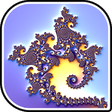
Fractview, by Searles, is an open-source Android app for exploring and creating two-dimensional fractals on a phone or tablet. It renders sets such as Mandelbrot and Julia with GPU-accelerated Renderscript and touch-gesture navigation, while offering a built-in formula compiler and a two-dimensional LAB palette editor. The app exports high-resolution PNGs and JSON bookmarks, aimed at math enthusiasts, students, and digital artists who want deep, device-based experimentation and image output.
Top Recommended Alternative
The app lets users dive into classic and experimental fractals, including Mandelbrot, Julia, Burning Ship, Newton, and Lyapunov sets. A built-in formula compiler accepts user-defined mathematical functions, enabling novel equations rather than fixed templates. The tool also supports 3D branching effects and offers parameter controls that let creators move from simple iterations to intricate, multi-layered renders for both study and artwork.
What can you explore and create on a mobile device?
How does it use the device and handle files?
Rendering offloads work to the device GPU via Renderscript for faster frame updates, which helps on-the-go exploration. Fractview can save finished images as high-resolution PNG files and share them through other apps, and it stores favorite configurations as JSON bookmarks for later reuse or transfer. Support for Android 5.0 and higher defines the minimum device environment for these workflows.
Is it approachable for newcomers and people with different needs?
Navigation relies on touch gestures similar to map apps: pinch to zoom, drag to pan, multi-finger gestures for rotation and shearing. Users and reviewers note a learning curve because of the app's advanced options, so casual users may face onboarding friction. Being open-source and hosted on GitHub, the project is ad-free and allows code inspection, which helps technically minded users verify behavior or contribute fixes.
How dependable are renders for practical creative work?
GPU acceleration and a LAB color-space palette editor support faster iteration and finer color control when preparing images for print or digital galleries. High-resolution export makes device-produced imagery suitable for further editing on desktop tools, while bookmark export supports reproducible setup sharing. Those elements make the app a practical mobile studio for iterative creative sessions that demand repeatable, high-detail results.
Pros
- GPU-accelerated rendering via Renderscript for faster on-device updates
- Built-in formula compiler enables user-defined mathematical functions
- Two-dimensional LAB palette editor for precise color control
- High-resolution PNG export plus JSON bookmark export for reproducibility
Cons
- Advanced features create a learning curve for casual users
- Requires Android 5.0 or higher on the device
- Depth of options can overwhelm quick, one-off exploration sessions
Bottom Line
To sum up, a hands-on choice for experimenters who accept a learning curve
Fractview is a capable option for users who enjoy tinkering and technical exploration on Android devices, since it emphasizes deep parameter control and reproducibility. Some users report a noticeable learning curve because of advanced options, so it suits hobbyists, students, and digital artists who allocate time to explore the tool rather than someone seeking an instant, simplified viewer.