Used Flat Pattern Bend for Android?
Flat Pattern Bend Analysis
AI Assisted Content ·
Not written by CNET Staff.
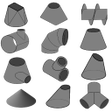
Flat Pattern Bend is a free Android application designed to assist users in calculating dimensions for flat patterns used in various engineering applications. This utility is particularly beneficial for professionals involved in the design and construction of pressure vessels, as it accommodates a wide variety of shapes, from simple segments to intricate curves and spirals. The application simplifies the calculation process by allowing users to either manually input parameters or select them from a predefined table, making it accessible even for those without advanced mathematical knowledge.
Top Recommended Alternative
The app features an intuitive interface that streamlines the calculation of essential parameters, such as curvature radius and arc height. This user-friendly design eliminates the need for complex formulas, enabling users to focus on their projects without the burden of mathematical calculations. Overall, Flat Pattern Bend serves as a practical tool for engineers and designers, enhancing their efficiency in creating accurate flat patterns.
Used Flat Pattern Bend for Android?
Explore More

SyncMe Wireless
Free
Gems Calc for Brawl Stars
Free
Scratch Pad Free
Free
Xfinity Mobile Voicemail
Free
Friends Quiz and Trivia (No Ads)
Paid
MindMaster - MindMapping
Free
Heart Pattern Lock Screen
Free
NIV Bible Offline - No Ads!
Paid
Metal detector - EMF Meter
Free
Trigonometry Calculator
Free
Funny Stickers For Whatsapp
Free
Support Tool
Free











