Used Heart Pattern Lock Screen for Android?


Heart Pattern Lock Screen Analysis

AI Assisted Content ·

Not written by CNET Staff.

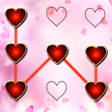
Heart Pattern Lock Screen is a free utility designed for Android devices, offering a customizable and secure way to protect personal data. Users can select from a variety of heart-themed HD wallpapers for their lock screen and create a unique unlocking pattern, enhancing both security and aesthetics. The app allows for easy access to notifications, date, and time while maintaining the device's locked state, making it convenient for daily use.

Top Recommended Alternative

This application prioritizes user security, with a straightforward unlocking mechanism that requires users to remember their pattern. The heart wallpaper gallery is accessible offline, adding to the app's functionality. The interface is user-friendly, catering to a broad audience. However, forgetting the unlocking pattern may result in an inability to access the device, emphasizing the importance of memorization.

Enlarged image for Heart Pattern Lock Screen
Heart Pattern Lock Screen 0/4

Used Heart Pattern Lock Screen for Android?


Explore More


Full Specifications

GENERAL
Release
Latest update
Version
90.8
OPERATING SYSTEMS
Platform
Android
Operating System
Android 9.0
POPULARITY
Total Downloads
15
Downloads Last Week
0

Report Software

Program available in other languages


Last Updated


Developer’s Description

The all new latest Heart pattern screen lock is here to give your phone a colorful and ravishing look.

The all new latest Heart pattern screen lock is here to give your phone a colorful and ravishing look. You can refresh the look of your phone by downloading this free of cost application that is Heart pattern screen lock. You just have to swipe up on the dots in the previously set pattern and your phone will give you access to the content of your phone. It is an easy and secure way to protect your phone data.

App Flow:

When you open "Heart Pattern Screen Lock" app.

In Settings, you will see enable or disable lock screen checkbox. When you check enable for the first time your are moved to next screen where you can set the pattern as per your desire. You Pattern must cover at least 4 dots. When you swipe over the dots, they glow to give you a fascinating look and shows you that you swiped over these specific dots. Then after tapping on Continue, the application will ask you to draw the previously set pattern again for confirmation and to avoid any sort of ambiguity. In case you draw a different pattern this time, dots will turn black and you will have to draw the same pattern again. Then, when you draw correct pattern, the "Confirm" option will turn vivid and you can tap it now. After tapping over it you have successfully set your Heart pattern Screen lock.

To experience a coherent usage, you are advised to disable the default phone lock. For this, you can tap on the "Disable Default Lock" Option from the Settings of the application "Heart Pattern Screen lock." It will move you to security lock screen settings of your device. From there you can disable the default lock. By doing this you will just have to enter a single pattern of Heart screen lock to get access of your device. Else wise, you will have to unlock multiple locks. First, the pattern of Heart screen lock and then the default lock of your device.

You can also change the background of the lock screen. You are provided with several beautiful and mesmerizing wallpapers in the application other than the default background.

FEATURES:

~ Enable/Disable the application from the settings.

~ Change wallpapers from settings

~ Date and Time displayed on Lock Screen

~ FREE for everyone.

~ Finest security lock screen

~ No privacy assault

How to set Lock

~ Enable your Heart pattern screen lock from setting screen

~ Set the pattern and remember it

How to unlock

~ Draw your pattern correctly to Unlock

~ If you draw wrong pattern, those dots turn red.

You can appreciate us and suggest us if there are any improvements that can be made to Heart pattern locker. You can also tell us via email about any issues that you are facing while using the application. We will help you in any way possible. Please give your precious feedback so that we make improvement and provide you a useful tool with awesome effects. Your suggestions and feedback will be highly appreciated!

Thanks and Enjoy Heart pattern screen lock!


Download.com
Your review for Heart Pattern Lock Screen
Download.com

AI Assisted Content Disclosure

Content created and reviewed by Softonic with information obtained from appsfreelocker, using AI.

CNET's editorial team was not involved in the creation of this content. Opinions, analysis and reviews were not provided by CNET.