Used Finger Manga - Comic Maker for iOS?
Finger Manga - Comic Maker Analysis
AI Assisted Content ·
Not written by CNET Staff.
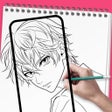
Finger Manga is a free iPhone application designed for aspiring comic creators, enabling users to craft and share their own manga with ease. This user-friendly tool eliminates the need for advanced skills or equipment, as it primarily relies on finger painting to bring stories to life. The app includes various grid templates that facilitate content arrangement, allowing for a smoother drawing experience. Users can also take advantage of layer functionality for drafting, which aids in the separation of artwork and text, providing flexibility in script adjustments.
Top Recommended Alternative
In addition to its drawing features, Finger Manga supports multiple language layers, making it easier to localize content for diverse audiences. The 'Photo to Sketch' function allows users to transform images into sketch-style backgrounds for their manga. With a focus on community engagement, the app encourages users to share their creations with others, fostering interaction among readers and creators. Compatible with both iPhone and iPad, Finger Manga offers a versatile platform for both seasoned artists and newcomers to the manga genre.
Used Finger Manga - Comic Maker for iOS?
Explore More

Sponsored
Adobe Stock
Trial version
Video Creator For Musical.ly & Feeds for Dubsmash
Paid
Sport Cars Bible: Engine Sounds, Datasheets and Pictures
Paid
X-Ray Photo & Video Booth Lite
Free
fixr entry manager
Free
Alan Watts - The Seminar Series
Paid
initial
Free
LoveCalc Free
Free
Orange Army Chemnitz
Free
nessViewer
Paid
Soundboard for Vine Free - The Best Sounds of Vine
Free
HanumanChalisa with Images
Free