Used Final Frontier DEMO for Android?


Final Frontier DEMO Analysis

AI Assisted Content ·

Not written by CNET Staff.

Final Frontier DEMO is a free Android simulation game that immerses players in space exploration. In this engaging app, users can navigate through a meticulously crafted universe, exploring various celestial bodies and managing resources. The game emphasizes strategic decision-making while allowing players to experience the vastness of space in a visually appealing environment.

Top Recommended Alternative

The app features intuitive controls that facilitate exploration and interaction with different elements within the game. Players can build and upgrade their spacecraft, engage in missions, and discover new planets, all while enjoying realistic graphics and sound effects. As a simulation game, Final Frontier DEMO offers an accessible yet immersive experience for those interested in space travel and management.

Enlarged image for Final Frontier DEMO
Final Frontier DEMO 0/2

Used Final Frontier DEMO for Android?

Explore More


Full Specifications

GENERAL
Release
Latest update
Version
1.0.1
OPERATING SYSTEMS
Platform
Android
Additional Requirements
Requires Android 4.4 and up
POPULARITY
Total Downloads
11
Downloads Last Week
0

Report Software

Program available in other languages


Last Updated


Developer’s Description

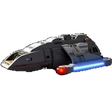
This game demo is containing a few scenarios in which you can fight off attacks on DS9, fight aliens on the Enterprise's holodeck and run...

This game demo is containing a few scenarios in which you can fight off attacks on DS9, fight aliens on the Enterprise's holodeck and run simulations on Voyager's computer.

!! IMPORTANT !!

** Notice that this game is very heavy. A high end device is needed to run this game properly (6GB RAM recommended).

If you notice slowdowns and crashes, try reducing the resolution and quality settings.

** The game will ask you for a permission to access photos, files and media on your device, this is because the game uses an obb expansion file to store its data.

In newer android versions you can ignore this request, but maybe you will need to allow this permission for other android versions.

** This project was made for learning purposes only.

** The game fully supports English and Hebrew.

Tips:

- When playing first person mode you can do an emergency transport back to the runabout from anywhere by pressing the combadge -> emergency transport.

- To choose and run a holodeck program on the Enterprise, click on the console next to the holodeck's doors with the text "RUN PROGRAM".

- Wormhole will open once you get close to it.

- Destroying the wormhole will stop the dominion ships from entering the alpha quadrant.

- Ship's shields will regenerate faster on green alert.

- On slower speeds the ship rotates faster

- Torpedoes are limited and are more effective against a ship's hull.

- If the runabout's shields are very low or your hull is damaged during combat, you can call for an assistant from the second runabout shuttle patrolling DS9 from the computer console -> "Distress call".

- Below the phaser button there is the "switch" button (2 rotating arrows in green), which allows you to instantly switch between enemy targets during battle.

- Once you teleport to Voyager's bridge there are 3 computer simulations available at the tactical, science and helm stations.

- Use the 3D axis button (above the computer button) to switch between free 3D movement and vertical/horizontal movement (mainly for taking off and landing on Enterprise's main shuttlebay floor for example).

3D models credits:

DS9, Defiant and Runabout models by Chris Kuhn.

Enterprise D and Dominion bug ship models by David Metlesits.

Enterprise D interior by Aryh Peixoto Filho.

Voyager model by Sarod.

Voyager interior by trekkie.

Spacedock model by Nico Weigand.

Earth Spacedock and Constitution Class Starship wreck models by T. E. Williams.

Workbee model by Raul Mamoru.


Download.com
Your review for Final Frontier DEMO
Download.com

AI Assisted Content Disclosure

Content created and reviewed by Softonic with information obtained from Kfir Even, using AI.

CNET's editorial team was not involved in the creation of this content. Opinions, analysis and reviews were not provided by CNET.