Used File Manager for Smartphone for Android?


File Manager for Smartphone Analysis

AI Assisted Content ·

Not written by CNET Staff.

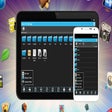
File Manager for Smartphone is a free utility designed for Android users, focusing on simplifying file management tasks. This program allows users to effortlessly browse, organize, and manage files across various storage locations, including internal memory and external SD cards. It features a user-friendly interface that makes navigation intuitive, with options to create folders, rename files, and delete unwanted items. Additionally, the application supports multiple file formats, ensuring versatility for different user needs.

Top Recommended Alternative

One of the standout features of File Manager for Smartphone is its ability to perform batch operations, which enables users to manage multiple files simultaneously. The app also includes a search function to quickly locate files, enhancing efficiency for users with extensive libraries. With its lightweight design and straightforward functionality, this file management tool is suitable for both novice and experienced users, making file organization on Android devices more manageable.

Enlarged image for File Manager for Smartpho…
File Manager for Smartphone 0/1

Used File Manager for Smartphone for Android?


Explore More


Full Specifications

GENERAL
Release
Latest update
Version
6.0.0
OPERATING SYSTEMS
Platform
Android
Additional Requirements
Android 2.2
POPULARITY
Total Downloads
746
Downloads Last Week
0

Report Software

Program available in other languages


Last Updated


Developer’s Description

Managing your files on your Android device.
File Manager is the ultimate app for managing your files and other resources which stored on your Android phone and tablet. Files on local SD card, local WiFi network, or cloud storage servers like Google Drive SugerSync, Dropbox, Box.net, SkyDrive, Ubuntu One, etc. are stored. Designed for experts and beginners alike. All basic file operations - Copy, Paste, Move, Create and Rename files and directories. Clear and easy-to-learn user interface for most users. Start work within one second. FTP-/HTTP-Server - Share & Manage your files without a USB cable. Web management with a Windows-like interface. Root access to system folders and files like 'Root Explorer'. / System with read and write permissions remount. Your phone must allow root access.

Cloud Storage - Use one app to access various cloud services. Does Google Drive, Dropbox, Boxnet, SkyDrive, SugarSync, Ubuntu One and more. SMB, FTP, SFTP, FTPS, WebDAV and Bluetooth OBEX Client - Access from your phone to your host computer. Bluetooth - Full-featured Bluetooth capabilities include OBEX FTP, OPP. NFC & "Wi-Fi Direct" support. You can use an NFC or "Wi-Fi Direct"-enabled phone to transfer files and apps. Wireless transmission. Send files directly via Wi-Fi provided between File Expert phones. App Manager - Uninstall / Secure Apps. Supports unattended operations on devices with root access. Archive manager - Create and decompress ZIP archive, decompress RAR archives. You can view your ZIP-/RAR-/GZIP-/TAR-/TGZ-/BZ-Datei, just as when you access a directory, and can directly decompress individual files and directories. Thumbnails - View Thumbnails. Image Viewer - supports both local and remote directories. Browsing SD card, continue to edit search results.


Download.com
Your review for File Manager for Smartphone
Download.com

AI Assisted Content Disclosure

Content created and reviewed by Softonic with information obtained from Geek Soft, using AI.

CNET's editorial team was not involved in the creation of this content. Opinions, analysis and reviews were not provided by CNET.