Used Field Recorder for Android?


Field Recorder Analysis

AI Assisted Content ·

Not written by CNET Staff.

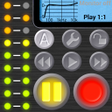
Field Recorder is a full-featured audio recording application for Android, designed to capture high-quality audio across various scenarios. This app accommodates a wide range of recording needs, including music, interviews, lectures, and casual conversations, making it versatile for both personal and professional use. Its user-friendly interface ensures that users can navigate through the app effortlessly, allowing for a seamless recording experience.

The application supports multiple audio formats such as MP3, WAV, OGG, and FLAC, providing flexibility for users who may need different file types for various purposes. Additionally, the integrated speech-to-text function enhances its utility by allowing users to convert dictation into high-quality audio files. Overall, Field Recorder stands out for its recording quality and comprehensive feature set, making it a valuable tool for anyone in need of a reliable audio recording solution.

Enlarged image for Field Recorder
Field Recorder 0/3

Used Field Recorder for Android?


Explore More


Full Specifications

GENERAL
Release
Latest update
Version
12.1
OPERATING SYSTEMS
Platform
Android
Operating System
Android 15.0
POPULARITY
Total Downloads
320
Downloads Last Week
1

Report Software

Program available in other languages


Last Updated


Developer’s Description

Unlock the potential of your microphones. Music, calls, dictation, meetings.

Unlock the potential of your microphones: Record music events, phone calls, interviews, meetings, band rehearsals, lectures, voice messages, dictation, eavesdropping...

From high-quality stereo recording to basic wide-band audio. Instantly after recording, send e.g. your interview to your broadcasting team, your concert recording to your friends, a voice dictation to your secretary, or add a speech to the archive.

Field Recorder is only available on Google Play!

Turn your Android into a high-quality audio recorder!

Features

Field Recorder provides easy-to-use presets for standard audio recording tasks. However, it is designed for professional use as it provides more than 85 options to customize it to the given device and situation.

Built-in and external microphones are supported and also 'class-compliant' USB soundcards with Android 5

Records and plays mono or stereo wav files

Supports file overwrite and resume recording

Convert your recordings to mp3, AAC or FLAC via free helper apps, share or send them

Up to 90 seconds pre- and 4s post recording. You won't miss any important stuff even if you are too late at the record button

Auto start, stop, and continue, depending on loudness. The control signal can be additionally filtered to optimize it for voice recording or other sounds

When recording, automatic stop at 4GB maximum file size and even seamless restart of a new file is available (activate auto start with the minimum threshold)

High-precision stereo audio recording engine with various low-cut filters, minimum-phase shelving and parametric equalizers, and stereo balance correction e.g. to compensate for flaws of the microphones or optimize for speech. Also with recording booster, configurable limiters, soft clipping, and high-quality monitoring

Wav player with volume maximizer, silent and audible fast-forward and fast-rewind, and low-latency random access to any play position via progress bar

Recordings are stored internally or on any chosen SD card. Default is SD card. Recordings are visible to your favorite player

Almost 10.000 colors available for the metallic-brushed skin. Also, you choose round or rectangular LEDs, left-hand operation, button size, and your favorite color for the display area

First steps and testing

Use the 2 hours refund period to test how audio recording works on your phone. Touch "Factory" in the display area and you probably find a preset in the cloud perfectly adapted to your smartphone!

Or try the different input configurations from "In:MicA" to "In:MicE". If you activate "Monitor", use headphones to avoid a sound feedback loop. Check without creating audio files, just by pressing the pause button which activates the level meters. Then you see a date/time string as the potential file name. It is created only if you press the record button

Hints

If you modify a preset, its name gets gray in the display area

Playback can amplify quiet recordings by choosing e.g. "Play +20dB" without distortion due to a 2nd limiter. The Monitor switch affects only recording

Touch the "time/position/free" label to show the remaining recording duration

Touch battery symbol to toggle between battery and CPU usage

Touch "CLP" to reset red LEDs

The level meter shows peak amplitudes or the start/stop control signal. Touch it to open its configuration menu

Active auto start overrules pressing the pause button

The 1.5kHz filter optimizes the auto start/stop control signal for speech. 750Hz better suppresses disturbing sound with high frequencies, 3kHz with low frequencies

Soft Clipping is active above -3dBFS

Limiting and Soft Clipping work only if Boost is greater than 0dB

"Boost 40dB" or more might produce hardware feedback loop if power supply is instable

Overwrite and Append modify existing recordings (warning can be switched on/off)

Activate flight mode to reduce noise floor


Download.com
Your review for Field Recorder
Download.com

AI Assisted Content Disclosure

Content created and reviewed by Softonic with information obtained from Pfitzinger Voice Design, using AI.

CNET's editorial team was not involved in the creation of this content. Opinions, analysis and reviews were not provided by CNET.