Used Fast File Copy for Windows?


Editors’ Review

Download.com staff
Fast File Copy is a free Windows utility that simplifies file copying by visually managing source and destination folders with separate tree controls.
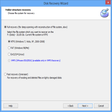
Enlarged image for Fast File Copy
Fast File Copy 0/1
  • Pros

    • Visually manage source and destination folders.
    • Uses separate tree controls for folder selection.
    • Easy to perform copy operations after loading.
    • Quickly launch Windows Explorer for selected folders.
  • Cons

    • Software has a noticeable loading time.

Used Fast File Copy for Windows?


Explore More


Full Specifications

GENERAL
Release
Latest update
Version
1.0
OPERATING SYSTEMS
Platform
Windows
Operating System
  • Windows 10
  • Windows 8
  • Windows 7
  • Windows Vista
Additional Requirements
None
POPULARITY
Total Downloads
4,462
Downloads Last Week
4

Report Software

Program available in other languages


Last Updated


Developer’s Description

Manage source and destination folder for copying process.
Fast File Copy is a free utility for Windows allows you to visually manage source and destination folders while copying files. The Fast File Copy software takes some time to load and once it is loaded, all the operations are really easy to do. The software allows you to select source folder to copy the folder and destination folder in separate tree controls. You can even launch Windows Explorer for selected folder easily using the button provided on the software main screen.

Download.com
Your review for Fast File Copy