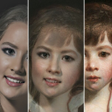
Used Face Morph for Android?
Face Morph Analysis
AI Assisted Content ·
Not written by CNET Staff.
Face Morph is a free Android application that specializes in facial transformation using advanced morphing technology. It allows users to blend their own faces with those of animals or other individuals, creating unique and entertaining visual results. The app employs automatic facial recognition to facilitate the morphing process, ensuring a seamless transition between images. This feature is particularly appealing for users interested in creative photography or visual effects.
Top Recommended Alternative
The core functionality of Face Morph revolves around its ability to create smooth transitions between different facial images. By generating intermediate forms, the app provides a dynamic visual experience that is commonly utilized in the animation industry. Users can easily navigate through the app's interface to upload images and experiment with various morphing options, making it suitable for both casual users and those with a keen interest in digital artistry.
Explore More

Sponsored
Adobe Stock
Trial version
Edit professional photo
Free
Diwali Photo Collage Maker
Free
GPS Map Travel Camera
Free
Graffiti Creator on Photo Text
Free
Birthday Photo Collage Frames
Free
Full HD Camera
Free
Gangsta Photo Editor 2018 - Swag Gangster Photo
Free
Rumble Camera - Make Money With Your Videos
Free
Photo Frame Collage Maker
Free
Camera Pro Control
Paid
GifStack
Free











