Used Excel Sheets Browser for Windows?


Editors’ Review

Download.com staff
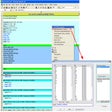
This Microsoft Excel add-in simplifies workbook navigation. It generates a repositionable vertical list of all worksheets, enabling quick searching and management for files with numerous sheets, making them easily accessible with a single click.
  • Pros

    • Displays all worksheets in a single vertical list
    • Enables one-click navigation between any selected sheet
    • Adds, renames, and removes worksheets from the interface
    • Includes keyword search to quickly locate specific sheets
    • Integrates directly into the Microsoft Excel command ribbon
  • Cons

    • No option to sort the worksheet list
    • Lacks ability to perform actions on multiple sheets
    • No functionality for filtering sheets by their properties
    • Does not provide keyboard shortcuts for navigation
    • No customization options for the list's appearance

Used Excel Sheets Browser for Windows?


Explore More


Full Specifications

GENERAL
Release
Latest update
Version
1.1
OPERATING SYSTEMS
Platform
Windows
Operating System
  • Windows 7
  • Windows Server
  • Windows 8
  • Windows Vista
  • Windows XP
  • Windows 10
  • Windows 2000
  • Windows 2003
Additional Requirements
  • Microsoft Office 2007
  • Microsoft .NET Framework 4.5
POPULARITY
Total Downloads
119
Downloads Last Week
1

Report Software

Program available in other languages


Last Updated


Developer’s Description

Facilitate your work by simple switching between Excel sheets.
Excel Sheets Browser is a reliable Microsoft Excel add-in designed to help you easily browse through multiple worksheets with a simple mouse click. The add-in creates a vertical list of all the worksheets, so you can view them easier and select the one you wish to modify. Excel Sheets Browser is designed to help you when you need to work with tens of worksheets and often switch between them. The add-in creates a shortcut in the Excel command ribbon and prompts a vertical list of all the sheets, that you can access with a simple mouse click. The dialog box containing the list can be repositioned within Excel, in order to facilitate your work.Viewing all the spreadsheets, with their complete title, in a vertical list makes it easier for the human eye to identify the required worksheet. Thus, Excel Sheets Browser offers you a complete and highly convenient view of your work spaces.Aside from arranging the names of all the available spreadsheets in a vertical list, the add-in acts as a shortcut to each of them, since you can switch to any of them by clicking its title. Moreover, you can easily add, remove or rename an existing sheet. The function is useful, since you may insert a blank sheet anywhere between two existing ones.Additionally, the add-in offers a searching function that you can use in order to identify the desired spreadsheet when the list is very large. You may enter key words or part of a word, then let the add-in identify exact or partial matches.Excel Sheets Browser is a convenient assistant, designed to ease your work with spreadsheets. When dealing with tens of sheets, it can be difficult to find the correct one in a short time; their titles can be hidden when the tab indicators are shrunk. Excel Sheets Browser offers a vertical list with the complete names of the worksheets and allows you to click on the desired name in order to access the sheet.

Download.com
Your review for Excel Sheets Browser