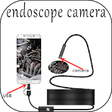
Used Endoscope Camera for Android?


Endoscope Camera Analysis

AI Assisted Content ·

Not written by CNET Staff.

Endoscope Camera is a free Android utility designed for users wishing to inspect plumbing systems or sewers visually. This application enables users to connect an endoscope camera to their device, allowing them to view live footage of hard-to-reach areas without invasive procedures. Users can capture images and record videos for later review, making it a practical tool for home inspections or DIY projects. With an intuitive interface, the app caters to both novice and experienced users, facilitating easy navigation and operation.

The app's functionality is enhanced by its compatibility with various endoscope cameras, providing flexibility for different user needs. It supports high-resolution video feeds, ensuring that users can clearly see the details within pipes and drains. Additionally, the ability to save and share recordings can aid in documenting issues for further analysis or consultations with professionals. Overall, Endoscope Camera serves as a valuable resource for anyone interested in plumbing inspections or repairs.

Enlarged image for Endoscope Camera
Endoscope Camera 0/3

Used Endoscope Camera for Android?


Explore More


Full Specifications

GENERAL
Release
Latest update
Version
1.0
OPERATING SYSTEMS
Platform
Android
Additional Requirements
Requires Android 5.0 and up
POPULARITY
Total Downloads
206
Downloads Last Week
0

Report Software

Program available in other languages


Last Updated


Developer’s Description

endoscope camera app an app to connect with endoscope cam or any device like a USB camera or Borescope camera depstech, sewer inspection camera...

endoscope camera app an app to connect with endoscope cam or any device like a USB camera or Borescope camera depstech, sewer inspection camera there is many devices that use external cam like inspection camera sewer.

* How does it work endoscope camera app?

the endoscope app for android works like an otg view. open your external Borescope by USB otg or type-c and read it the endoscope app need to use micro just to record video with sounds and need to use the gallery to write and read it pictures and videos

check that before using this endoscope app:

1- if your device supports USB otg technology after open the app, choose in the setting USB otg checker to check if your device support otg or not

2- if Your USB camera is UVC-compatible

* How to use this app: endoscope camera

open the app and enter the USB of your endoscope camera in your phone click on the camera icon click on ok now you can see the endoscope camera is working. take photo and record video if you want to see his pictures and videos go back to the first interface and click on the gallery now you can see all your pictures Slide your finger to the left you can see now all videos click on anyone and choose your player click on always and watch your video. now how to delete pic and video on the endoscope app camera inside the gallery click long click on picture or video you can see the deletion icon that's all

In what you can use the endoscope camera device:

the Borescope or endoscope has many things to do like in blocked drains you can see what inside You will not need camera drain unblocker or plumbing cam repair anymore. it works like a sewer camera Borescope or you can use it with any external camera like a webcam. if you see any problem please contact us any time to help you

enjoy it


Download.com
Your review for Endoscope Camera
Download.com

AI Assisted Content Disclosure

Content created and reviewed by Softonic with information obtained from US apps 2020, using AI.

CNET's editorial team was not involved in the creation of this content. Opinions, analysis and reviews were not provided by CNET.