Used ECTmorse for Windows?


ECTmorse Analysis

AI Assisted Content ·

Not written by CNET Staff.

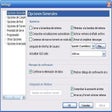
ECTmorse is an educational software designed to teach and practice Morse code. This free Windows application offers various features, including lessons, practice exercises, and tests to help users learn the fundamentals of Morse code effectively. The interface is user-friendly, making it accessible for beginners as well as those looking to refresh their skills.

The software includes audio and visual cues to assist in learning, allowing users to engage with the material in a variety of ways. ECTmorse also features customizable settings, enabling learners to adjust the speed of the code and select different learning modes. This flexibility makes it a valuable tool for anyone interested in mastering Morse code, whether for personal interest or professional development.


Used ECTmorse for Windows?


Explore More


Full Specifications

GENERAL
Release
Latest update
Version
1.13.3
OPERATING SYSTEMS
Platform
Windows
Operating System
  • Windows 10
  • Windows Vista
  • Windows 7
  • Windows 8
  • Windows XP
  • Windows 2000
  • Windows 2003
Additional Requirements
OS Windows and sound speakers
POPULARITY
Total Downloads
65
Downloads Last Week
0

Report Software

Program available in other languages


Last Updated


Developer’s Description

Emulate the Morse telegraph on PC.
ECTmorse (EyeComTec Morse) is a program designed to emulate the Morse telegraph and help sufferers of various forms of paralysis and other disabilities by allowing them to type using the universal language of Morse code. The program may be used on nearly any PC or laptop because of its low system requirements. Even most older and low end computers should be able to run ECTmorse. ECTmorse is easy to use as well. All it takes is the pressing of a single key, and ECTmorse can enable the user access to any letter or symbol needed to type. The typed characters are displayed in the program. This ensures that the user may review their work and edit it to their individual needs. Beyond the ease of use and language options, nearly every aspect of ECTmorse can be customized in order to better fit the needs of the user. This can include anything, such the key pressure time for writing dots and dashes allowing the user to write at their own pace or even fully customizable characters. Work can be saved to a time stamped file, allowing the user to see the evolution of the piece that is currently being typed over time. In addition to changing the settings, the user can use hotkeys to increase the efficiency of the program. These are just a few of the many customization options available in the program that can be found in the user guide and site for ECTmorse.ECTmorse is incredibly portable. There are no complicated installation processes, so even the most novice of computer users can run and use the program. Start up is really simple and only requires that the user starts the program. The settings may be chosen by the user, then saved to a file. The user may have a plethora of settings files, and thus have the ability to choose the file that best suits a given situation, allowing the user to type more quickly and efficiently.

Download.com
Your review for ECTmorse
Download.com

AI Assisted Content Disclosure

Content created and reviewed by Softonic with information obtained from EyeComTec, using AI.

CNET's editorial team was not involved in the creation of this content. Opinions, analysis and reviews were not provided by CNET.