Used EasyProject: Trace any image for Android?
Editors’ Review
Overlays a chosen photo onto the live camera view, letting you trace outlines directly onto paper, canvas, or walls with adjustable transparency and alignment controls. EasyProject: Trace any image, from Catdogfatnesss, uses AR overlays on Android devices to turn a phone into a practical tracing aid. It offers an opacity slider, pinch-to-zoom and rotation gestures, image flipping, plus a built-in flashlight for low-light tracing. Beginners, students, and crafters gain a steady visual guide for proportion practice and transferring complex designs.
It works as a straightforward lightbox alternative for hands-on tracing
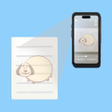
EasyProject projects an image from your gallery or the camera feed over a live view so you can follow reference lines on any surface. The app supports import from the photo library or a fresh camera shot, and the overlay is adjustable in transparency. Image flipping lets you reverse references for mirrored transfers, and the overlay method works on non-transparent materials such as wood, fabric, and walls.
Platform and camera access shape how you set it up
The tool runs on Android and requires camera permission to display the live feed and overlay. You import images or capture new ones inside the app, then align them on the screen before tracing. Because the app uses the device camera rather than projecting light, the phone’s screen and lens quality influence how crisp reference lines appear on the work surface.
Touch controls and a lock keep alignment steady during sessions
Full gesture support covers drag, pinch-to-scale, and rotation so you can position a reference precisely, and a dedicated lock button freezes the screen to avoid accidental movement. The lock functions like a DIY lightbox toggle, letting you work without repeated re-alignment. Gesture-based alignment plus the lock reduces fiddling during longer tracings or layered drawing steps.
Privacy is limited to camera use and the app fits hobby workflows
The app requests camera access to overlay images; no additional data collection details are advertised in the feature set. The developer focuses on AR creative utilities, and early responses from crafting communities highlight the app’s simplicity for paper crafts and sketches. Compared with hardware projectors, this approach removes extra equipment, trading true projection for a visual overlay on the device screen.
Pros
- Opacity slider balances reference and surface visibility
- Screen lock freezes alignment like a DIY lightbox
- Drag, pinch-to-scale, and rotation gestures for precise positioning
Cons
- Requires camera permission and a clear line of sight
- Android-only availability limits device choices
- Uses a visual overlay rather than true light projection
Bottom Line
To sum up, EasyProject suits casual creators who need a reliable visual guide
EasyProject works well for weekend sketchers, students, and hobby crafters who want a portable way to copy or practice from references, though it relies on your phone’s screen and camera for clarity. Because image alignment is visual only, consider mounting your device on a stable stand for longer projects. Tip: enable the built-in flashlight in low light to keep the reference lines readable while you trace.
Used EasyProject: Trace any image for Android?