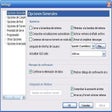
Though not as soothing as Mom reading you a bedtime story, this application is reliable. It could, however, improve with a few more customizing options. E-Text Reader's interface resembles a text editor, thus making it very intuitive and easy to use, if not a bit out of date. To have a text read, simply cut-and-paste a document into the application window or open a file (either plain text, DOC, or even HTML). It's important to make sure the cursor is at the point you want the reader to begin. With one click (the Read button has a cute green smiley face on it) the program begins to read the text in one of three standard voices. A video tutorial is included, but we didn't think it necessary given the relative ease of using the program. Though the download is a large one (25MB), the fact that it's freeware puts any weighty program issues quickly to rest. Overall, E-Text Reader is a reliable, efficient program at a great price (none!).
Works, It reads any text you throw at it & is easy to copy/ paste!
Cons
Wish it would allow me to save an audio version for upload to a site or link for an email etc.
Summary
Installs at light speed on newer computers & works great!
Newer programs have passed it by.
Puppy_Chow
Pros
+ Intuitive user interface.
+ Adequate integration with Word
Cons
+ Now considered trial version, freezes the program for 15 seconds and nags you to pay upwards of $50 for what others offer for free.
+ Voices randomly change speed and tone.
+ Seems as though it has to be your "active window" to run in Win7, making it a tad more difficult to edit in MSWord while you listen.
Summary
Newer programs are truly free and offer the same (or better) functionality.
Did not work at all.
greatliven
Pros
None, nada, zilch, zero.
Cons
It would not do anything. Even the instructional videos would only play for a few seconds and then disappear.
Summary
Did not work at all.
very lousy software.Very big but does not actually work
aamutawasa
Pros
nothing at all
Cons
does not work
Summary
stupid to download such big program to find out that it does not work
Very solid for free, better than many free & shareware
Dixieflatline34u5
Pros
* Versatile, stable
* 30+ voices, + speed/pitch control
* highlights & rich text format tools (it's a word processor)
* bookmarks, starts where you left off, highlights as it reads
* easy, simple, performance, no suprises
* usable, fast, no hitches
Cons
* you can only save text files and not wav or mp3's. :(
* translations limited in free version
Summary
All in all very good, better than a lot of the little free text-to-voice programs or limited shareware. No nag screens, etc
Looking for a sound file recording though.
Only Speaks English Correctly; I wanted French.
rayacharnock
Pros
The try was free.
Cons
Didn't Speak French correctly; was disappointed.
Summary
It was advertised to speak other Languages correctly; it did not.
E text reader : The text reader of the future
danxp4
Pros
+ No days of use limatations
<p> + three voices
Cons
- will not reconize japaniese sympols
Summary
A powerful easy to use reader
Emad Hanna
Pros
Cons
Summary
Its handy and fast, for those who need a pronunciation helper for no cost its the one.
Let a computer read aloud electronic texts for you.It does more than read it can translate too. E Text Reader IGT is designed to help those who have trouble reading or comprehending the printed word. Thousands of literature titles are now available in electronic format. E Text Reader will read (using digital voices) the electronic version of books (e-books or e-text) to you. It can read any document in Standard Text, MS Word, RTF (Rich Text Format), XML, and HTML. E Text Reader will help anyone who needs documents read to them, and it supports text highlighting and bookmarking. Version 5.1 may include unspecified updates, enhancements, or bug fixes.