Used Dynamic Wallpaper Maker for Android?
Editors’ Review
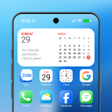
Create animated home screens with Dynamic Wallpaper Maker by Real Zhang, an Android personalization utility that converts videos, GIFs, and photos into live wallpapers. The app lets users import 4K or 2K sources, trim video clips, add background music, and export creations as GIFs, JPEGs, or high-definition video. It supports 60fps playback, parallax depth effects, and an automatic day‑to‑night changer for time-based switching. Targeted at Android owners who want high-quality animated backgrounds, it keeps editing and creation fully available offline.
Top Recommended Alternative

The app converts personal photos, GIFs, and video clips into live wallpapers and offers an integrated editor for creation. It supports high-resolution sources up to 4K and playback at 60fps, and provides parallax depth, GIF wallpaper support, audio and loop modes. Users can export finished items as GIF, JPEG, or HD video. Creation tools include video trimming, filter application, and background music insertion to shape the final background.
What the app produces and how creation is handled
Does using animated backgrounds affect battery and runtime behavior?
Battery and resource impact is a core design point for the app. The developer states that the automatic wallpaper changer's energy usage is nearly equivalent to a static wallpaper, and notes the engine handles high-frame-rate and ultra-high-definition playback with energy efficiency. Because editing and playback run offline, the app does not require constant network access during background display. This suggests controlled power use for daily mobile and tablet use.
Is media integrity and privacy preserved during edits?
Safety appears built into the workflow: edits and exports are saved independently, so original photos and videos remain unchanged. The app's offline functionality keeps media processing local to the device, and exported formats include GIF, JPEG, and HD video so files can be stored or shared in standard containers. The developer's approach reduces cloud exposure and preserves source files by design. Users retain original media integrity after editing.
Can non-technical users operate the app and when is expertise required?
Beginner users can apply presets and simple edits without deep technical steps, while advanced workflows for high-resolution sources require attention to storage and device capability. User reports describe the interface as simple and utility-focused, which lowers entry barriers but can place advanced toggles out of sight. Because the app needs Android 8.1 or higher for recent builds, devices running older system levels may lack full support for ultra-high-definition editing.
Pros
- Supports 4K sources and 60fps playback for smooth wallpapers
- Fully offline creation and editing keeps media local
- Integrated photo and video editors with trimming, filters, and audio
- Developer claims energy use near equivalent to static wallpapers
Cons
- Simple, utility-focused interface can hide advanced controls
- Ultra-high-definition workflows produce large files requiring extra storage
- Requires Android 8.1 or higher for recent feature support
Bottom Line
Who benefits most and one practical caution
The app is a pragmatic choice for Android owners who want control over local animated backgrounds and offline editing. Expect significant storage demand when producing ultra-high-definition wallpapers; keep a dedicated media folder and free space before large exports. On devices meeting the system requirement, it delivers dependable background playback and adequate editing depth, though advanced users should plan for large file management.
Used Dynamic Wallpaper Maker for Android?