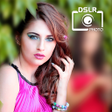
Used DSLR Camera Blur Background , Bokeh Effects Photo for Android?
DSLR Camera Blur Background , Bokeh Effects Photo Analysis
AI Assisted Content ·
Not written by CNET Staff.
DSLR Camera Blur Background, Bokeh Effects Photo is a multimedia application designed for Android users who want to enhance their photography with a blurred background effect. This free app emulates the bokeh effect commonly produced by DSLR cameras, allowing users to add an artistic flair to their images. The program offers features such as freehand selection for blurring specific areas or using pre-made templates to guide the focus in photos. However, the app's functionality is primarily limited to blurring, and it lacks comprehensive editing tools typically found in other photography apps.
Top Recommended Alternative
While the main feature focuses on creating a DSLR-like blur, users may find themselves needing additional editing tools for tasks like adjusting brightness or saturation, which are not included. The app also suffers from intrusive advertisements, which can disrupt the user experience and complicate the editing process. As such, while the app serves its purpose for background blurring, it may not satisfy those seeking a full-featured photo editing solution.
Used DSLR Camera Blur Background , Bokeh Effects Photo for Android?
Explore More

Sponsored
Adobe Stock
Trial version
birthday photo frame with name and photo
Free
Photo Editor-
Free
Birthday Photo Frame : Birthday Photo Editor
Free
HD Camera Ultra
Free
Beauty Cam - Selfie Camera
Free
Phototile: Photo tiles that stick to your walls
Free
Selfie Glasses Picture Editor
Free
InstaFace : face morphing
Free
Color Splash
Free
Collage Photo Mirror & Face Live Camera
Free
Flower Photo Frame Beautiful Frames for Pics
Free











