Used Display Menu for Mac?


Clicking on the Download Now (Visit Site) button above will open a connection to a third-party site. Download.com cannot completely ensure the security of the software hosted on third-party sites.

Display Menu Analysis

AI Assisted Content ·

Not written by CNET Staff.

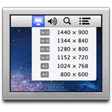
Display Menu is a free utility for Mac designed to enhance the management of display settings. It provides users with a convenient menu that allows for quick adjustments to resolution, refresh rate, and other display configurations. The application is particularly useful for users with multiple monitors, as it simplifies switching between different display setups without navigating through system preferences.

Top Recommended Alternative

The app integrates seamlessly into the Mac menu bar, providing instant access to various display options. Users can easily select from available resolutions and refresh rates tailored to each connected monitor. Display Menu is lightweight and user-friendly, making it an essential tool for anyone seeking to optimize their display settings efficiently.

Enlarged image for Display Menu
Display Menu 0/1

Used Display Menu for Mac?


Explore More


Full Specifications

GENERAL
Release
Latest update
Version
1.0
OPERATING SYSTEMS
Platform
Mac
Operating System
  • Mac OS X
  • OS X 10.8
Additional Requirements
None
POPULARITY
Total Downloads
1,059
Downloads Last Week
0

Report Software

Program available in other languages


Last Updated


Developer’s Description

Menu bar item that displays all possible monitor resolutions and switches between them.
Display Menu shows a status item in your menu bar that lets you change your display settings with a single click.Depending on your display setup, you can set the screen resolution, toggle mirroring, adjust the refresh rates, and access the HiDPI modes.

Download.com
Your review for Display Menu
Download.com

AI Assisted Content Disclosure

Content created and reviewed by Softonic with information obtained from Milch im Gemüsefach, using AI.

CNET's editorial team was not involved in the creation of this content. Opinions, analysis and reviews were not provided by CNET.