Used Darkful Icon Pack - Theme for Apex/Nova Launcher for Android?


Darkful Icon Pack - Theme for Apex/Nova Launcher Analysis

AI Assisted Content ·

Not written by CNET Staff.

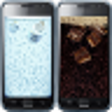
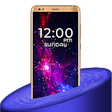
Darkful Icon Pack - Theme for Apex/Nova Launcher is a personalization tool designed for Android users seeking to enhance their device's aesthetic. This full version program offers a wide array of meticulously crafted icons that cater to both Apex and Nova launchers, making it easy to customize the look and feel of the home screen. Users can expect a cohesive design language with a dark and sleek theme, suitable for various device models and preferences.

Top Recommended Alternative

The Darkful Icon Pack includes hundreds of unique icons, along with support for dynamic calendars and alternative icons for popular applications. Additionally, the program features a user-friendly interface that allows for straightforward navigation and application of themes. Compatibility with various Android devices and regular updates ensures that users have access to new icons and features, enhancing the overall user experience.

Enlarged image for Darkful Icon Pack - Theme…
Darkful Icon Pack - Theme for Apex/Nova Launcher 0/4

Used Darkful Icon Pack - Theme for Apex/Nova Launcher for Android?


Explore More

Full Specifications

GENERAL
Release
Latest update
Version
6
OPERATING SYSTEMS
Platform
Android
Operating System
Android 15.0
POPULARITY
Total Downloads
46
Downloads Last Week
1

Report Software

Program available in other languages


Last Updated


Developer’s Description

DARKFUL ICON PACK. The first and only icon pack developed for transform the icons of any device, in the better dark style you have ever seen.

DARKFUL ICON PACK

The first and only icon pack developed for transform the icons of any device, in the better dark style you have ever seen.

IMPORTANT NOTES

- This is not an official product but it's developed by Ciao Studio to give a harmonious and clean look to any device;

- This is an icon pack and requires a custom launcher to work. Any launcher that is factory installed do NOT support icon packs (except LG Home, Xperia Home, OnePlus Launcher and Asus ZenUI). There is no possible way to support a launcher that doesn't support theming options. Please do not ask regarding this matter;

- LG Home doesn't support icon packs with a lot of icons and LG breaks support to standard icon packs in Nougat system based.

FEATURES

- The true first icon pack with a Darkful look;

- Best quality at a very low price;

- More than 4100 icons inspired by Android 9.0 style;

- High resolution icons good also on 2K screens;

- The only one where the icons are not distorted but remain faithful to the originals;

- Turn every icon in rounded style thanks to icons masking for unthemed icons;

- 150 great high-quality wallpapers available on cloud;

- A lot of alternative icons to choose from;

- Supported by a lot of Launchers;

- Built-in request tool for request missing icons;

- Frequently updates with new icons;

- Supported by Muzei Live Wallpapers;

- Supported by Zooper Widget with a Material style exclusive widget;

- Dynamic calendars icon according to the day of the month (on launchers that support it).

COMPATIBILITY

From Darkful Icon Pack you can select the following launcher: ABC, Action, ADW, Apex, Atom, Aviate, Evie, GO, Holo, Holo HD, LG Home, Lucid, M, Mini, Next, Nougat, Nova, Smart, Solo, V, ZenUI, Zero.

It can also be used in many more launchers that support icon packs but aren't specified within the application itself, for example: Arrow, ASAP, Cobo, Flick, iTop, KK, Lawnchair, Line, Mesh, MN, N, New, Open, Peek, S e Z Launcher, in Xperia Home and in CyanogenMod Theme Engine.

FREE ICONS REQUEST

- In each update, icons are updated and new ones are added, based on users requests made using the dedicated built-in tool;

- After making an icons request, you need to be patient because every day are received a lot of them;

- The requests are analyzed and the icons are added for apps which meet certain requirements like having a good number of downloads.

ADVICES

To get the same style of screenshots, you have to follow these steps using Nova Launcher:

- Desktop -> Width padding -> Large

- Desktop -> Searchbar style -> Select the one in the screenshots, trasparency 20%

- Desktop -> Page indicator -> Line

- App & widget drawers -> Swipe to open -> On

- App & widget drawers -> Card background -> Off

- App & widget drawers-> Background -> Black, trasparency 10%

- Dock -> Dock Background -> Rectangle, black, trasparency 60%

- Dock -> Searchbar in dock -> Below icons

- Dock -> Width padding -> Large

- Folders -> Folder background -> Select the first

Thanks to Axi K. for some icons designed for us by him and to Dani Mahardhika for CandyBar.


Download.com
Your review for Darkful Icon Pack - Theme for Apex/Nova Launcher
Download.com

AI Assisted Content Disclosure

Content created and reviewed by Softonic with information obtained from Ciao Studio, using AI.

CNET's editorial team was not involved in the creation of this content. Opinions, analysis and reviews were not provided by CNET.