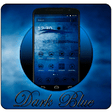
Used Dark Blue Theme for Android?
Editors’ Review
Dark Blue Theme by Perfect Pixel Studio is an Android personalization package that applies a coordinated dark-blue look to phones and tablets, targeting users who prefer a tech-inspired appearance. The theme supplies a handcrafted icon pack together with matching high-definition wallpapers and a compact installer to simplify deployment. It mainly suits people who use third-party launchers and want a quick, low-footprint visual refresh without extensive manual tweaking.
Top Recommended Alternative
The theme replaces the home screen appearance by supplying a custom icon pack and a set of HD wallpapers designed to share the same dark-blue palette. Those assets are packaged so the launcher applies them together, producing a cohesive visual language across app icons and backgrounds. Application of the design requires a compatible third-party launcher, because the package does not alter system UI elements directly.
What does the theme change on an Android device?
How much control does it give over the phone's appearance?
The theme focuses on asset replacement rather than deep theming: users can choose among included wallpapers and apply the icon set, but there is no built-in icon editor or system-level skinning. The developer describes the product as a simple alternative to manual tweaks, so any finer-grained adjustments depend on features provided by the installed launcher, such as icon masking, size scaling, or per-app icon assignment.
Is installation and daily use straightforward for nontechnical users?
Installation is compact and designed for quick application: the package is about 3.86 MB, and setup follows the launcher’s theme or 'Mine' panel where the user selects the pack. The developer highlights a straightforward apply flow, which keeps configuration limited to launcher menus rather than needing file placement or manual asset swaps, making it accessible to users comfortable installing a third-party launcher.
Does the theme affect device performance or compatibility?
The developer engineered the package to be performance-optimized, stating it runs without draining battery or slowing the operating system; the small installer size under 4 MB supports that claim. Compatibility is explicit: Android 9.0 and up is required, and final visual results depend on the launcher’s rendering and performance. The app also lists multiple language options, which broadens device compatibility across regions.
Pros
- Icon pack and HD wallpapers designed to match for a cohesive look
- Small installer size (about 3.86 MB) minimizes storage use
- Straightforward apply flow via launcher theme settings
- Supports multiple languages including English, Arabic, German, Japanese
Cons
- Requires a compatible third-party launcher to apply theme assets
- No built-in icon editor or system-level theming options
- Final appearance depends on launcher performance and features
Bottom Line
A focused choice for launcher users who want a low-effort visual refresh
Dark Blue Theme is a compact, purpose-built option for Android users who accept a third-party launcher as the delivery mechanism and want a consistent dark-blue aesthetic without extra configuration. Users seeking editable icons or system-level skins should consider tools that offer deeper modification abilities; otherwise, this package serves well as a lightweight, low-maintenance appearance update.
Used Dark Blue Theme for Android?
Explore More

Waterfall HD Live Wallpaper
Free
SpookyScreen
Free
삐뚤빼뚤 그레이 카톡테마 - 심플 카카오톡테마
Free
baicycle
Free
God Live Wallpaper
Free
Falling Leaves Live Wallpaper
Free
Family Ringtones
Free
Durga Maa 4K Live Wallpapers
Free
Serpent Cash: Earn Fast
Free
Pika Ai Labs VidGen Explain
Free
My Flash On Call Ringtone
Free
live wallpaper hd 3d moving
Free











