Used Copper for Mac?


Copper Analysis

AI Assisted Content ·

Not written by CNET Staff.

Copper is a free application designed specifically for developers using Mac. This utility falls under the category of Components & Libraries, providing essential tools and functionalities that streamline the development process. With its user-friendly interface, Copper allows developers to integrate various components seamlessly, enhancing productivity and efficiency in coding tasks.

Top Recommended Alternative

The software supports multiple programming languages and frameworks, making it a versatile choice for developers working on diverse projects. Key features include a robust library system, customizable settings, and compatibility with popular development environments. Copper aims to simplify the management of code components, enabling developers to focus on building quality applications without the overhead of complex configurations.


Used Copper for Mac?


Explore More


Full Specifications

GENERAL
Release
Latest update
Version
2.0.0.0
OPERATING SYSTEMS
Platform
Mac
Operating System
  • OS X 10.8
  • OS X 10.9
  • Mac OS X
  • Mac OS X 10.7
Additional Requirements
None
POPULARITY
Total Downloads
43
Downloads Last Week
0

Report Software

Program available in other languages


Last Updated


Developer’s Description

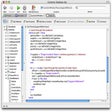
Copper is a free GUI tool for the client side features of the cocoapods.
Copper is a free GUI tool for the client side features of the cocoapods on Mac OSX. With this tool you can browse, search, view details, install, un-install pods available on cocoapods, with easy to use UI and controls. Key Features: * Free: Copper is totally free. No trial version, no demo version, you will get a fully functional application. * Regular Updates: We already have planned and started working on features for next releases. Also there will be bug fixing as reported by our QA people and app users. * GUI, Beautiful Looks And Carefully Designed, Clean And Neat Layout: While designing Copper we took due care to make it easy to understand and use. We have kept it simple, neat and of course beautiful. You can see list of available pods on left panel and right panel provides you list of pods installed in your xcode project. You can add and remove pods and install them easily. * Browse And Search Pods: You can type search query and get list of pods you are looking for. Copper searches pods through name, summary and description making sure that you can use generic terms like networking, json, animation etc. to get all the pods that may fulfil your needs. * View Pod Details: On selecting pod, Copper shows you all the details of pod including name, latest version, summary, description, platforms, ARC requirement, homepage, license, screenshots etc. * Features To Make Your Task Easy: Copper provides you various keyboard shortcuts, tooltip to assist you and to ease your task. - You can refresh everything with (Command R). - You can open project with (Command O). - Hover mouse pointer over installation status bullets to see status text in tooltip. * Customization: You can set preferences to alter app behaviour as you like. * Tips And Tricks: You can see interesting tips, tricks, facts about cocoapods, xcode and other apple technologies at top bar of application.

Download.com
Your review for Copper
Download.com

AI Assisted Content Disclosure

Content created and reviewed by Softonic with information obtained from Aurvan, using AI.

CNET's editorial team was not involved in the creation of this content. Opinions, analysis and reviews were not provided by CNET.