Used Cool Notes for Windows?


Editors’ Review

Download.com staff
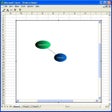
While it's easy to create text reminders with Cool Notes, not all of its features are relevant to its primary purpose. A system tray icon offers a right-click menu to access Preferences and Tools, or you can left-click to open a note. By default, sounds accompany nearly every action in the program, including keystrokes and opening and closing a note. Under Preferences you can deselect the sounds, set note transparency, and save notes. You'll find additional options to set an alarm or send a note by e-mail by right-clicking on the note. Unfortunately, while the simple alarm worked, an error occurred repeatedly when trying to send notes from one address to another. Cool Notes also offers unrelated features that include shutdown functions and access to the Windows Registry and system editors. No Help file is included, and there's a 10-day trial limit. Though it's fairly easy to use, novice users won't benefit from the bonus features, and other users will probably want a program in which all of its note-related features work.

Used Cool Notes for Windows?


Explore More


Full Specifications

GENERAL
Release
Latest update
Version
7.65
OPERATING SYSTEMS
Platform
Windows
Operating System
  • Windows XP
  • Windows NT
  • Windows 95
  • Windows 98
  • Windows ME
  • Windows 2000
  • Windows 10
Additional Requirements
Windows 95/98/Me/NT/2000/XP
POPULARITY
Total Downloads
1,854
Downloads Last Week
0

Report Software

Program available in other languages


Last Updated


Developer’s Description

Organize all of those little ideas and tasks that you just need to jot down for the moment.

Download.com
Your review for Cool Notes