Used Control Center IOS 12 - Control Center for Android?


Control Center IOS 12 - Control Center Analysis

AI Assisted Content ·

Not written by CNET Staff.

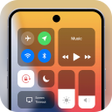
Control Center for Android is a utility tool designed to simplify device navigation and settings management. This application allows users to access a variety of settings and applications with a simple swipe, making it easier to manage connectivity options like Wi-Fi and Bluetooth. The app is user-friendly, providing a customizable interface that can be tailored to individual preferences.

Top Recommended Alternative

Beyond basic settings management, Control Center offers quick access to notifications and other essential features, streamlining the user experience. The interface mimics the iOS control center, providing familiarity for users transitioning from Apple devices. This free app is compatible with most Android devices, making it a versatile tool for enhancing device functionality.

Enlarged image for Control Center IOS 12 - C…
Control Center IOS 12 - Control Center 0/4

Used Control Center IOS 12 - Control Center for Android?


Explore More

Full Specifications

GENERAL
Release
Latest update
Version
2.365
OPERATING SYSTEMS
Platform
Android
Operating System
Android 13.0
POPULARITY
Total Downloads
11
Downloads Last Week
0

Report Software

Program available in other languages


Last Updated


Developer’s Description

Control Center IOS 12 gives you instant access to Camera, Clock, Flashlight and more settings...

Control Center IOS 12 gives you instant access to Camera, Clock, Flashlight and more settings

To Open Control Center

- Swipe up, swipe right or swipe left from the edge of screen.

To Close Control Center

- Swipe down, tap the top of the screen, or press the Back, Home, Recent button.

If you want to customize Control Center on your device, open Control Center application and you can change everything.

Quickly change settings and open apps:

With Control Center, you can quickly access multiple settings and apps:

- Airplane Mode: Use Airplane Mode to instantly turn off Bluetooth, Wi-Fi, and cellular connections on your android device.

- Wi-Fi: use control panel to turn on Wi-Fi to browse the web, stream music, download movies, and more.

- Bluetooth: Connect to headphones, car kits, wireless keyboards, and other Bluetooth-enabled devices.

- Do Not Disturb: Silence calls, alerts, and notifications that you receive while your device is locked.

- Portrait Orientation Lock: Keep your screen from rotating when you move your device.

- Adjust brightness: Adjust the brightness of your display from any screen.

- Flashlight: The LED flash on your camera doubles as a flashlight, so you can get extra light when you need it.

- Alarms and Timer: Set an alarm, timer, or stopwatch, or check the time in another country or region.

- Calculator: Tap numbers and functions in Calculator, just like a standard calculator.

- Camera: Never miss a moment to take a picture with quickly access camera.

- Control audio: From here, you can quickly play, pause, and control volume of your favorite song, podcast, and instant access more.

With Control Center app, you can customize more style, such as size, color, position, vibration.

And if you have any problems with Control Center IOS 12 application, please contact to me with email: sportdev@outlook.com

Thank you so much for using my app.


Download.com
Your review for Control Center IOS 12 - Control Center
Download.com

AI Assisted Content Disclosure

Content created and reviewed by Softonic with information obtained from Assistive Touch Solution, using AI.

CNET's editorial team was not involved in the creation of this content. Opinions, analysis and reviews were not provided by CNET.