Used Concise white GOWeatherEX for Android?


Concise white GOWeatherEX Analysis

AI Assisted Content ·

Not written by CNET Staff.

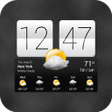
Concise white GOWeatherEX is a free Android app that provides users with accurate and timely weather forecasts. With its straightforward interface, the app offers current weather conditions, detailed forecasts, and customizable widgets for easy access to vital weather information. Users can quickly check the weather for their location or any other city, making it a versatile tool for planning daily activities. Additionally, the app includes features such as radar maps and severe weather alerts, ensuring that users are always informed about changing conditions.

Top Recommended Alternative

The app's design emphasizes simplicity and usability, making it accessible to a wide range of users. It does not require extensive technical knowledge, allowing anyone to navigate its features with ease. Furthermore, the app's smart widget options enable users to personalize their experience by selecting the information most relevant to them. Overall, Concise white GOWeatherEX serves as a practical solution for anyone looking to stay updated on weather conditions.

Enlarged image for Concise white GOWeatherEX
Concise white GOWeatherEX 0/2

Used Concise white GOWeatherEX for Android?

Explore More


Full Specifications

GENERAL
Release
Latest update
Version
1.6
OPERATING SYSTEMS
Platform
Android
Operating System
Android 9.0
POPULARITY
Total Downloads
42
Downloads Last Week
0

Report Software

Program available in other languages


Last Updated


Developer’s Description

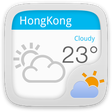
The Concise white Theme is a systerm widget based on GO Weather EX. It has a simple line and clean color. And you can find the black one in the...
The Concise white Theme is a systerm widget based on GO Weather EX. It has a simple line and clean color. And you can find the black one in the market.They have the same style.How to apply the theme?1. Make sure you have installed the latest version of GO Weather EX2. Open the GO Weather EX-Press the menu-Click the "Themes"3. Find the theme you have installed in "Syterm Widget" or "GOWidget" and apply it.4. GO to the launcher homescreen and add the goweatherex system widgetHow to add a Systerm Widget?1. Press menu- choose add-choose Widgets-Find GO Weather EX2. Make sure you have enough space for placing the widgetsRecent changes:Fix some display problemsContent rating: Everyone

Download.com
Your review for Concise white GOWeatherEX
Download.com

AI Assisted Content Disclosure

Content created and reviewed by Softonic with information obtained from GO Launcher EX, using AI.

CNET's editorial team was not involved in the creation of this content. Opinions, analysis and reviews were not provided by CNET.